Creating updatable PowerPoint presentations
How difficult is it to export your tables, charts and reports from Excel to PowerPoint?
Watch our webinar and see for yourself how easily this can be done.
Wat je leert:
Presentator


Founder & CEO at Zebra BI
Andrej brings 25 years of experience in business intelligence and software development and 20 years as a consultant. Helping numerous international and regional companies achieve consistent and efficient internal reporting throughout the organization inspired him to build Zebra BI.
Learn all you need to know to create linked (updatable) PowerPoint presentations
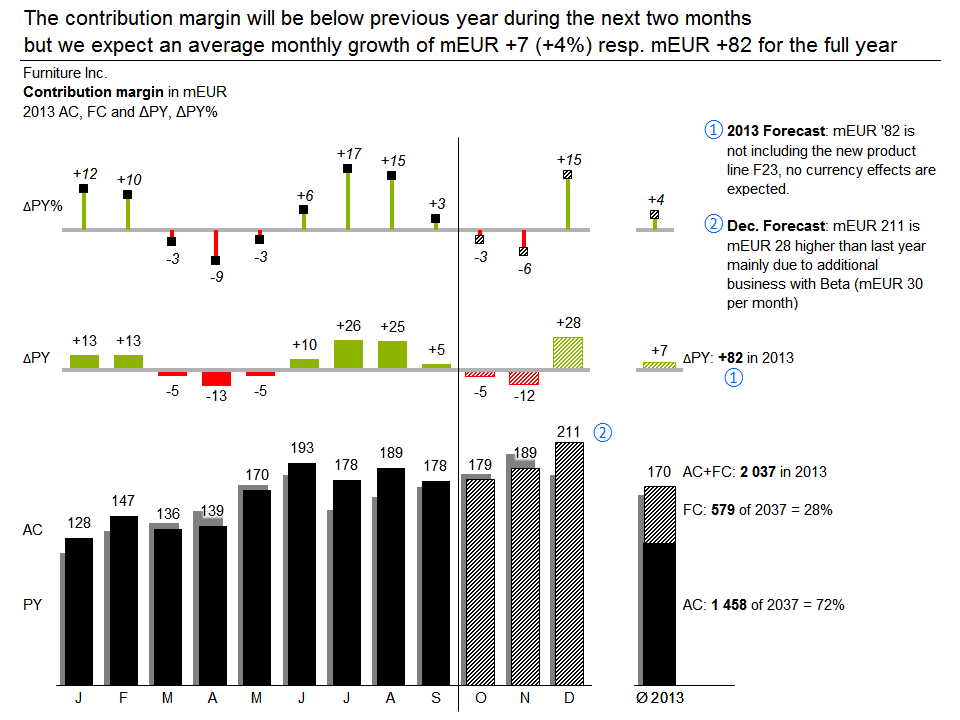
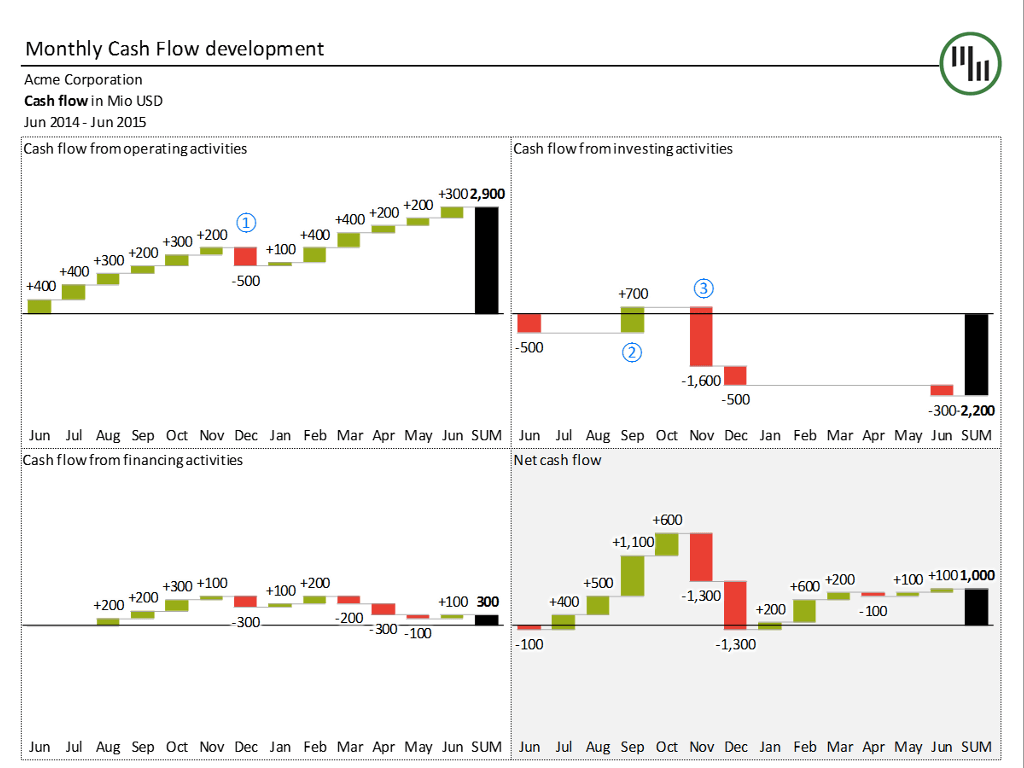
PowerPoint slides are the de-facto standard for delivering a presentation to your audience with your computer. In the world of business reporting, things are no different.
The most annoying part of preparing a slide deck is that the data you want to present is not actually in PowerPoint, but in some database or other tool, usually Excel.
Fortunately, there's an easy way to export your tables, charts or even whole reports from Excel to PowerPoint. If you want, your data will even update automatically. Find out more in the webinar.
Bekijk op aanvraag
Watch the video

Zebra BI-webinars zijn al bezocht door meer dan 10.000 deelnemers!