Bank Reconciliation Template Excel



Overview
Bank Reconciliation Excel Template
A Bank Reconciliation Excel Template is an essential tool for businesses,
accountants, and finance professionals to ensure accurate financial records. By
automating the reconciliation process, this template helps identify discrepancies
between a company’s bank statement and its internal accounting records, reducing
manual effort and minimizing errors.
Regular bank reconciliation is crucial for maintaining financial integrity, preventing
fraud, and ensuring compliance with auditing standards. This template provides
a structured, user-friendly format that simplifies the process and offers detailed
insights into cash flow management.
Key Features:
- Automated Reconciliation: Instantly identify unmatched transactions.
- Error Detection: Highlight discrepancies and missing entries.
- Cash Flow Tracking: Monitor deposits, withdrawals, and fees in real time.
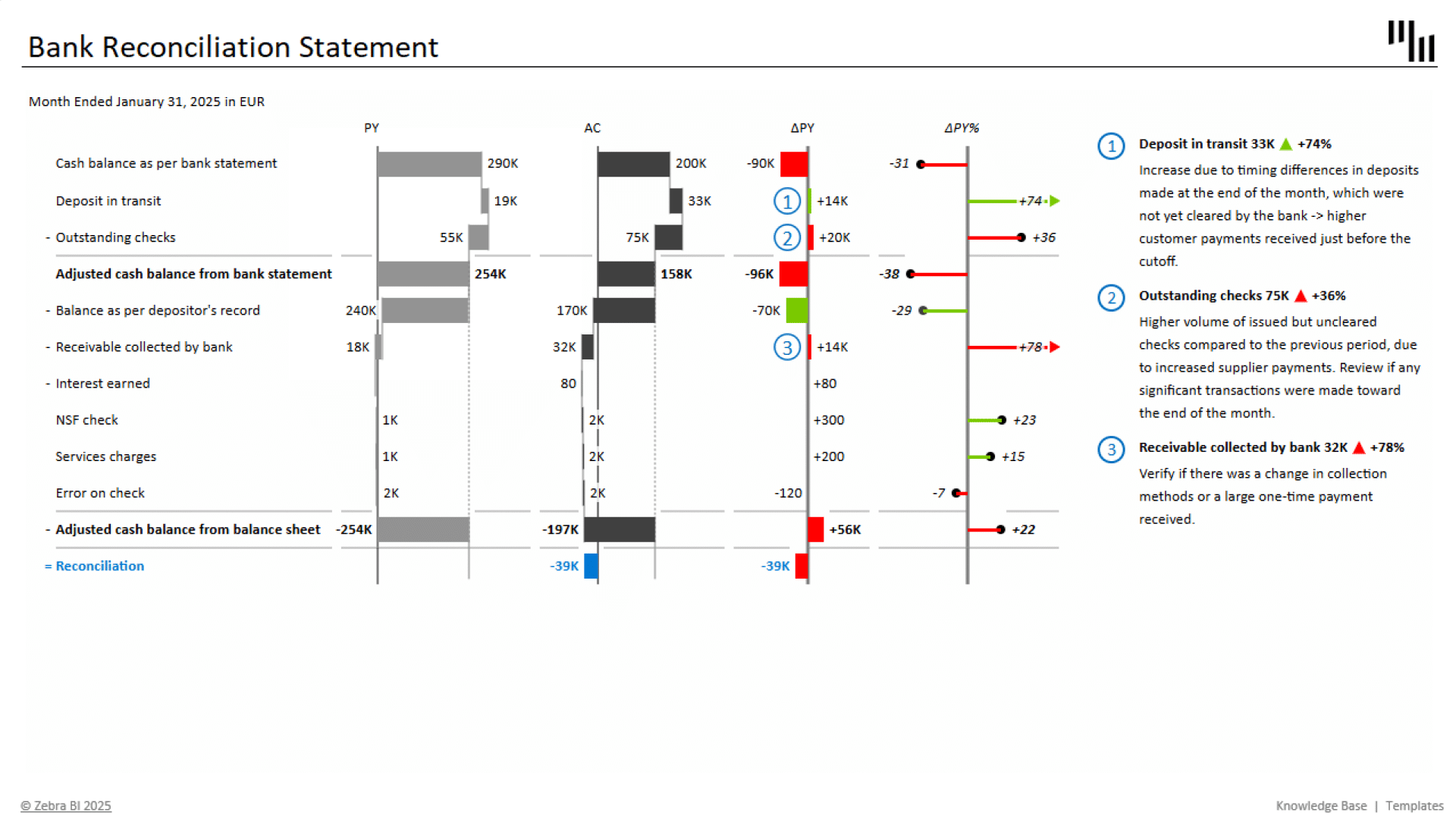
- Visual Analysis: Use waterfall charts for an intuitive comparison of balances.
- Fraud Prevention: Detect unauthorized transactions and accounting errors.
- Regulatory Compliance: Maintain accurate records for tax and audit purposes.
- Time Efficiency: Reduce manual work and speed up financial closing.
With Zebra BI’s Bank Reconciliation Excel Template, users can streamline their
reconciliation process, enhance financial transparency, and gain powerful visual
insights to support better decision-making.
Get started in 3 steps
Fill out the form and get the Excel template