Athletic Footwear Benchmarking & Financial Analysis Template



Overview
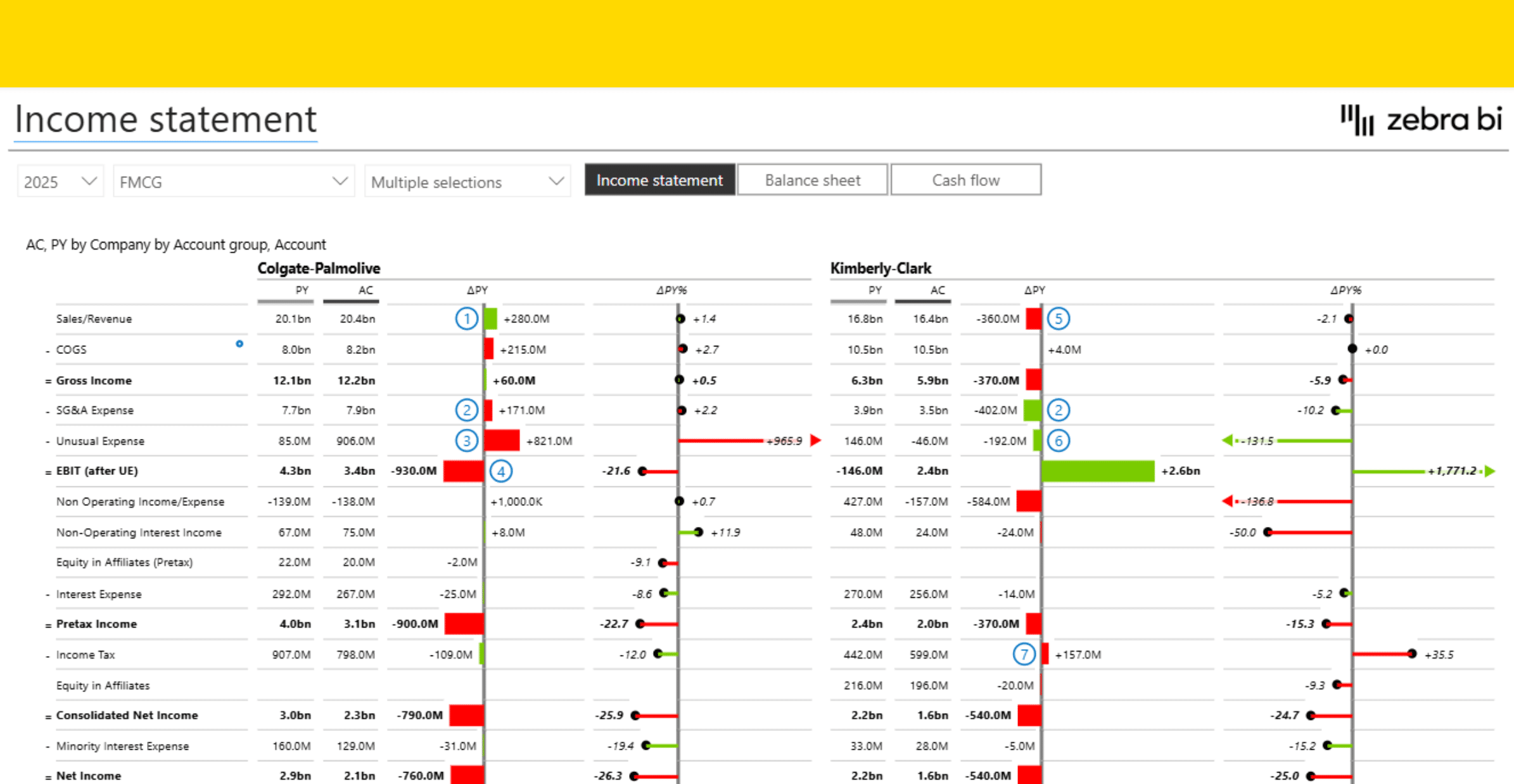
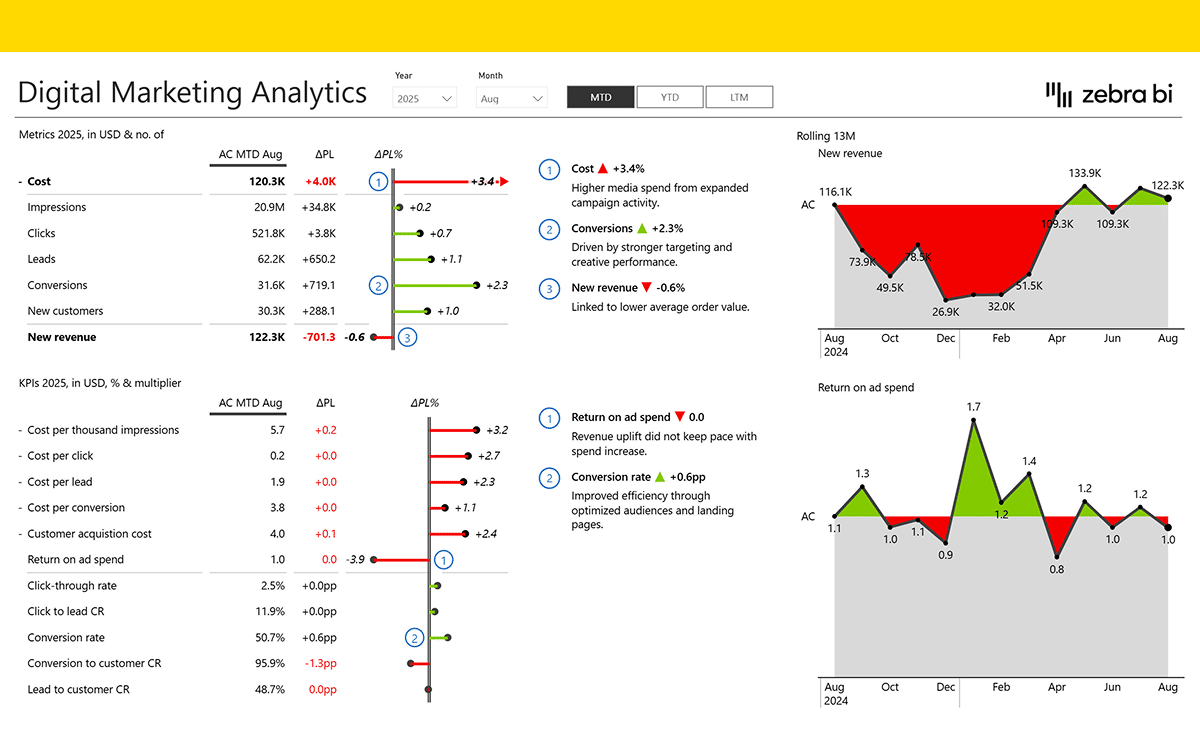
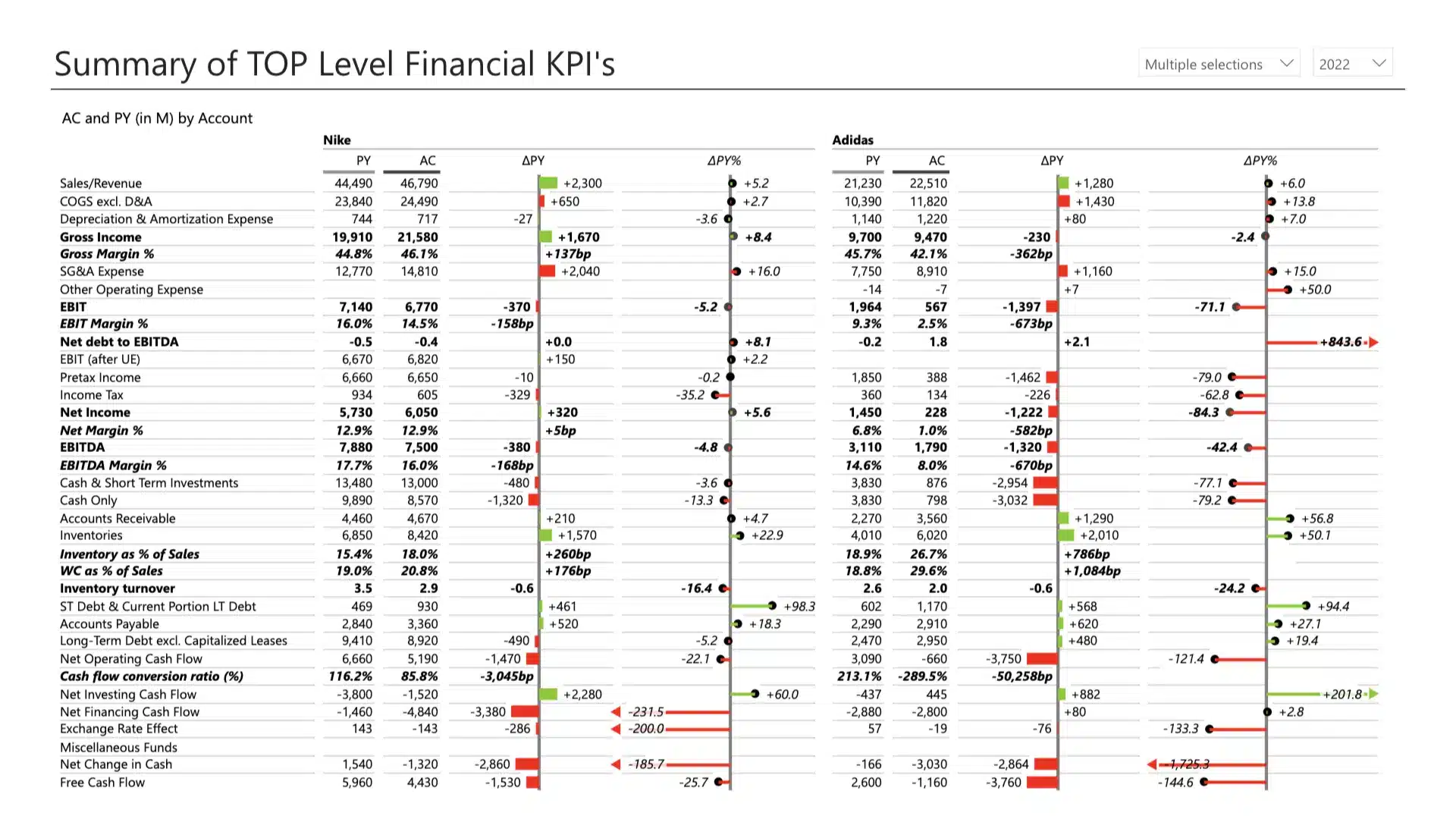
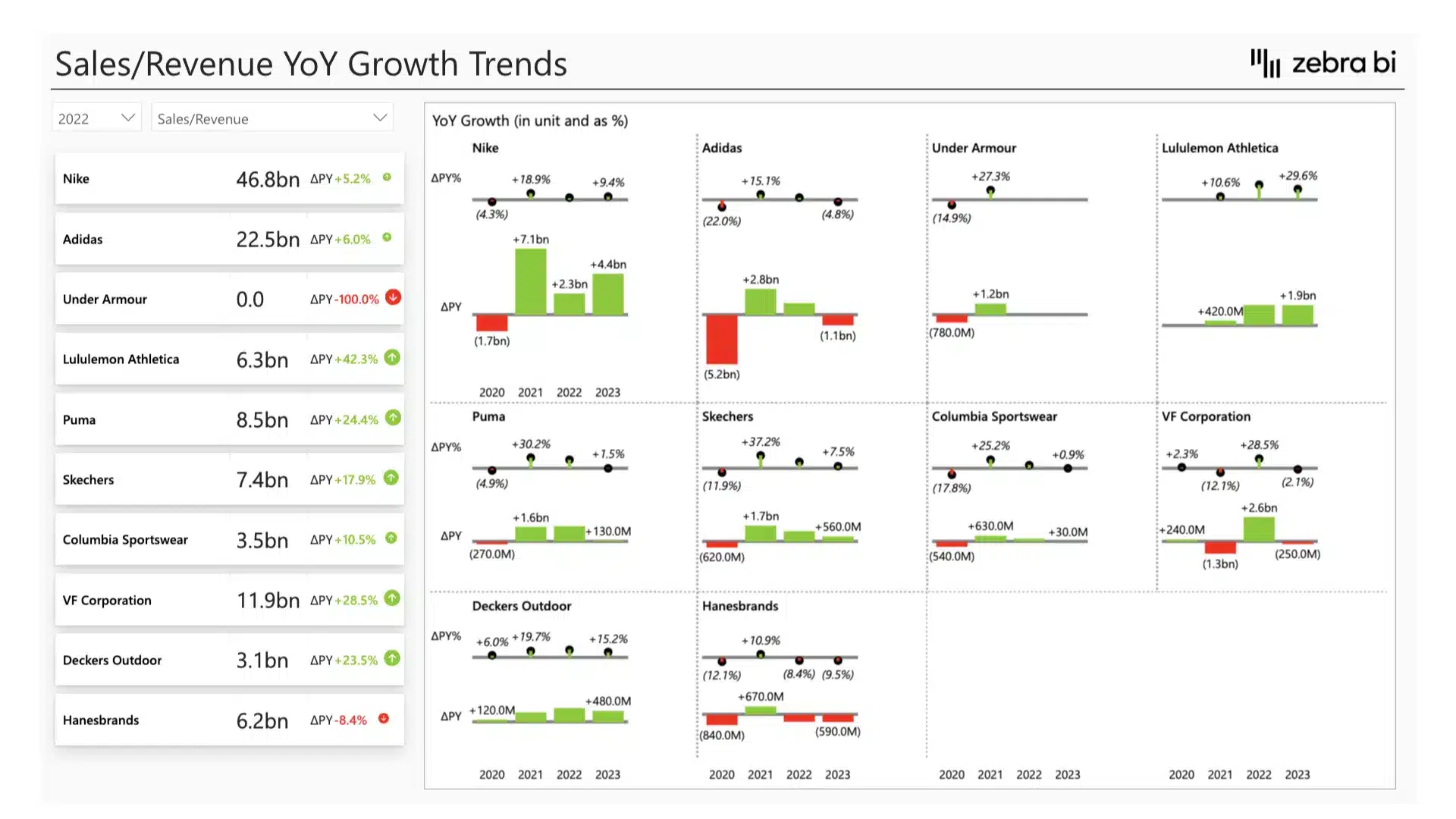
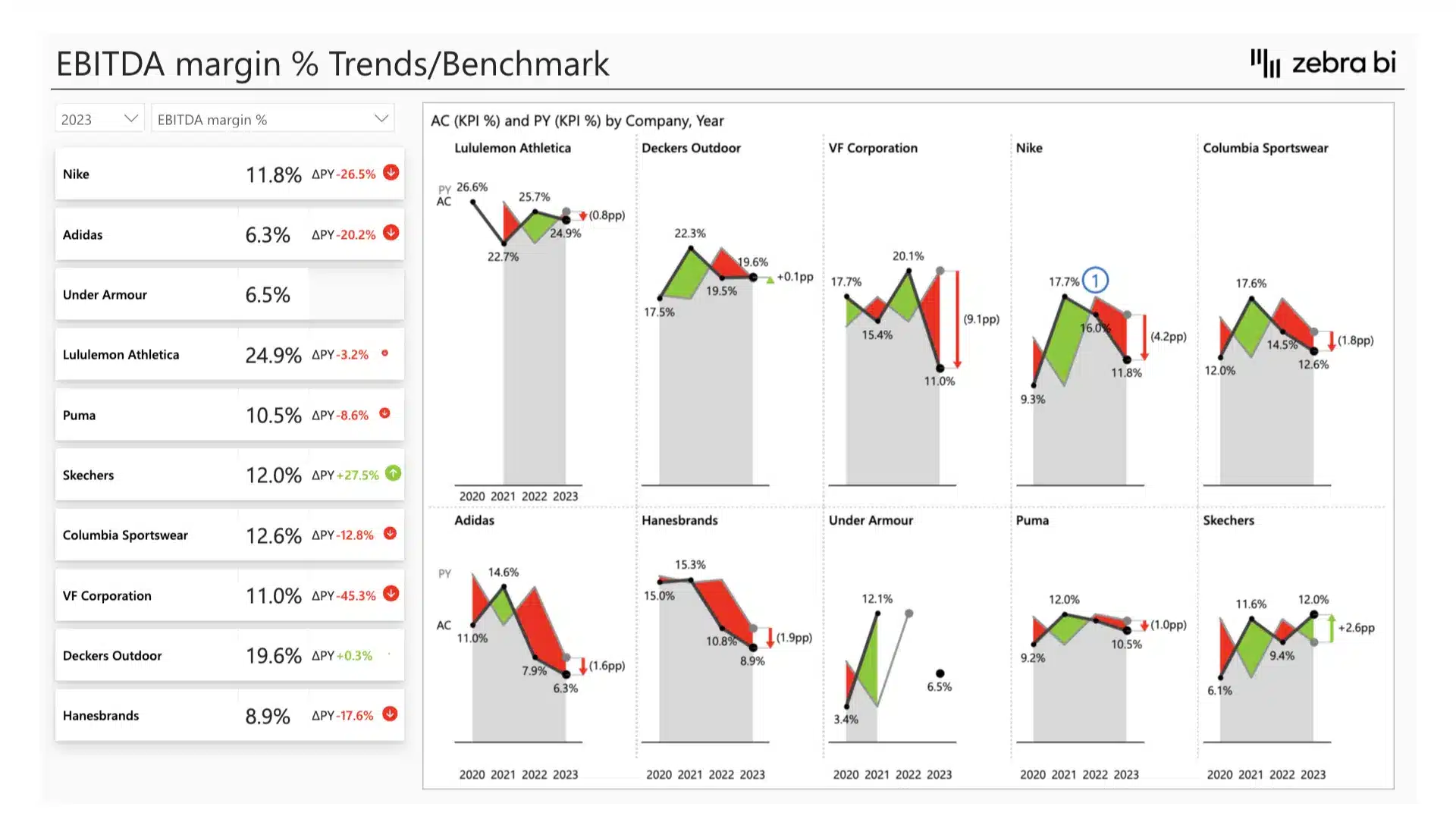
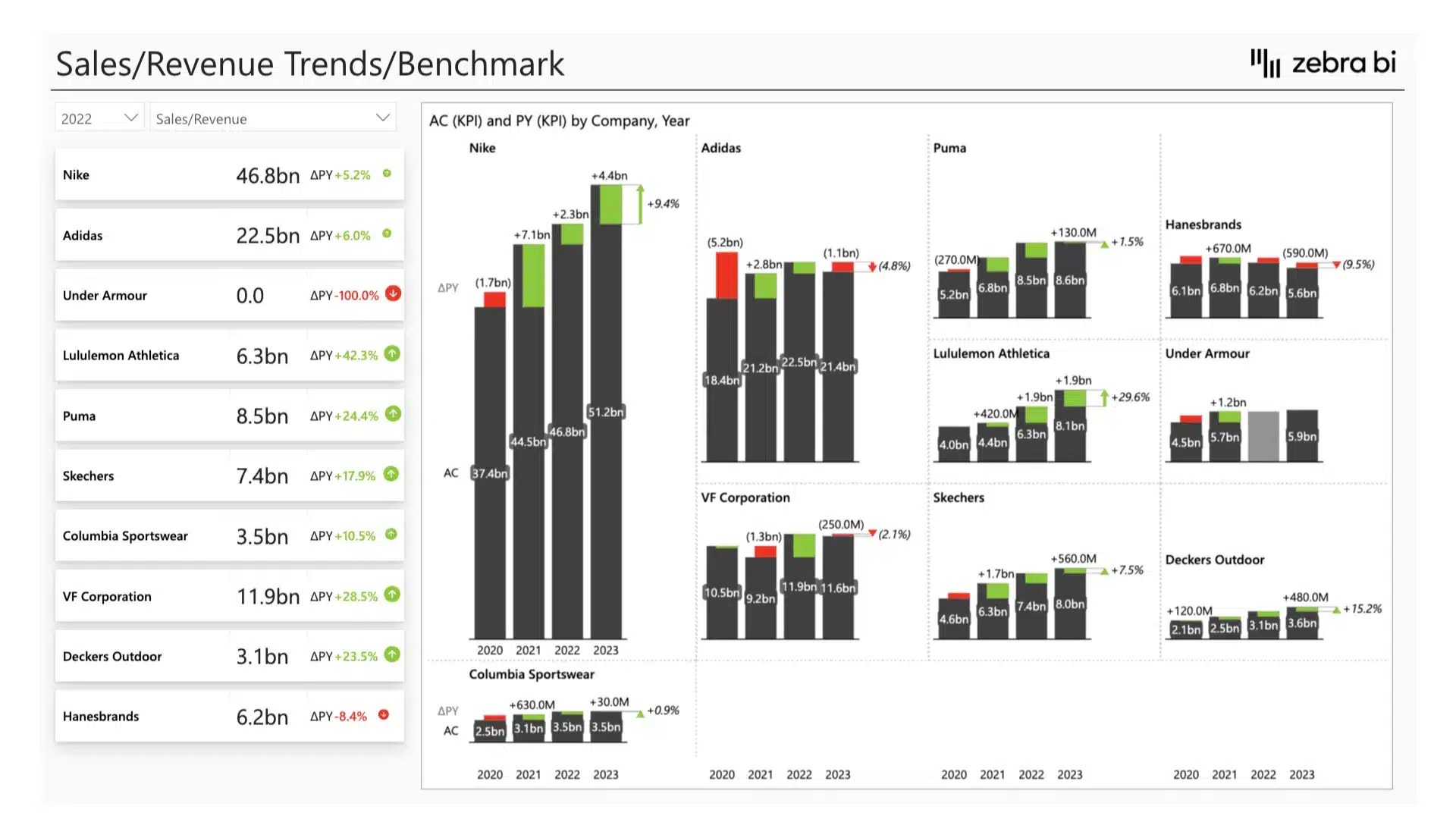
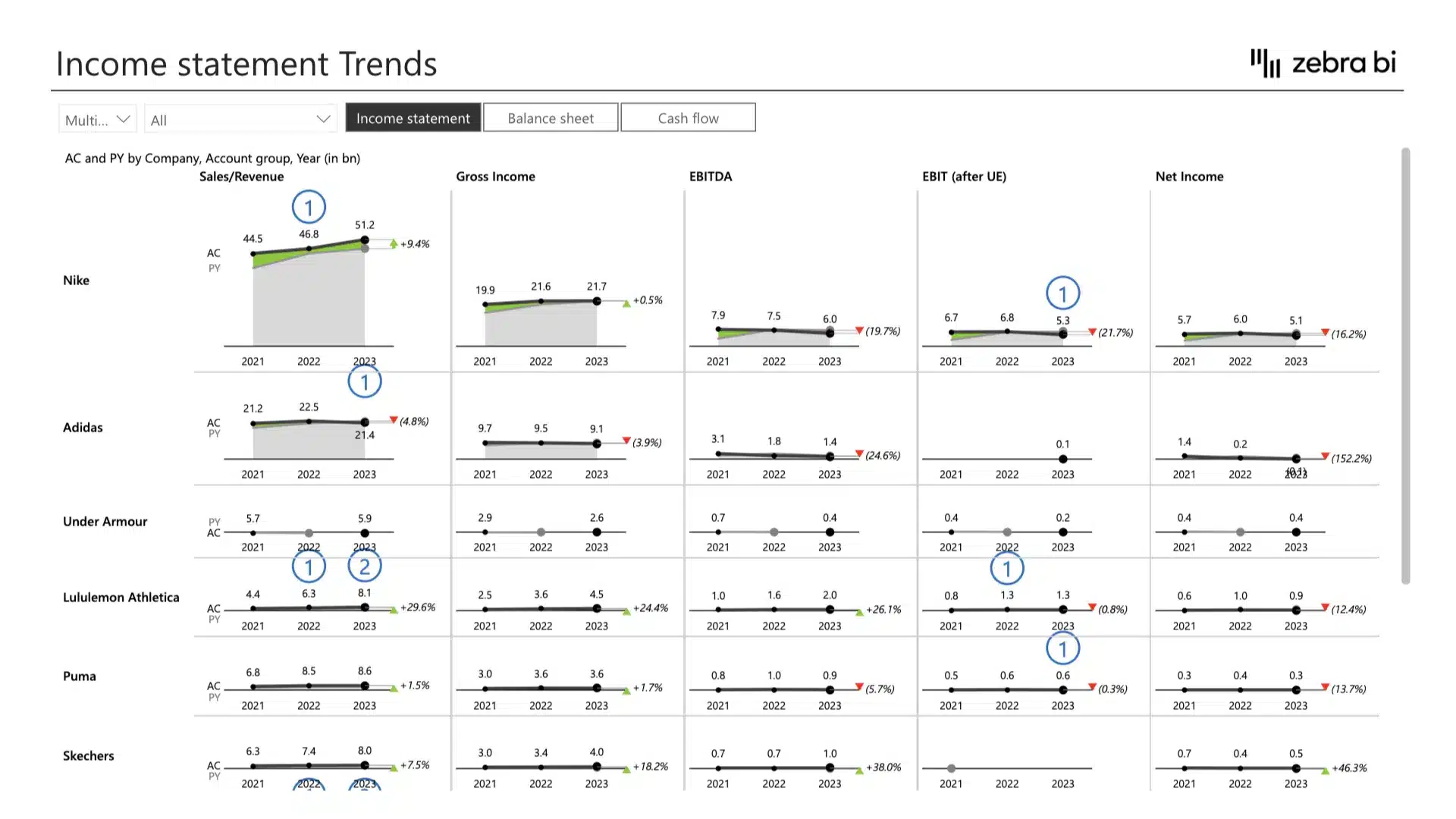
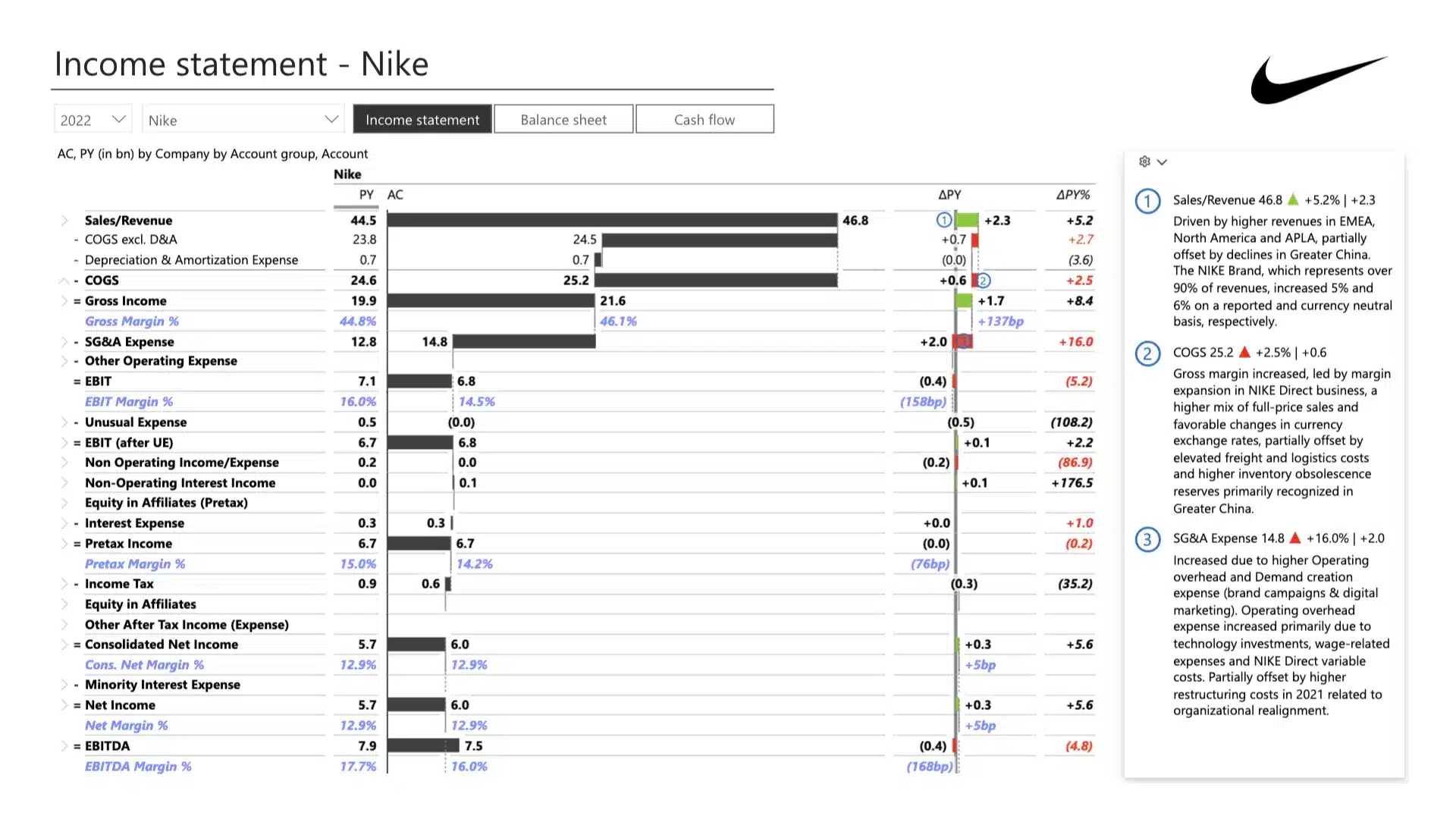
Unlock your athletic footwear company's potential with our comprehensive benchmarking and financial analysis template. Evaluate your financial performance against industry standards and competitors to uncover strengths, weaknesses, and growth opportunities. Our template allows you to create weekly, monthly, and annual reviews, track performance, make data-driven decisions, plan strategically, prepare smart budgets, run performance evaluations, identify growth opportunities, implement best practices, increase operational efficiency, manage costs better, and boost profitability. Crafted by financial analysts specifically for the footwear industry, it includes essential metrics and real-life examples, such as Nike’s inventory turnover strategy and Adidas’s return on assets. Download today to save time, energy, and avoid human error with a benchmarking and financial analysis template built by professionals, for professionals.
Get started in 3 steps
Fill out the form and get the Power BI template