HR Analytics in Power BI

Zebra BI for Power BI


Overview
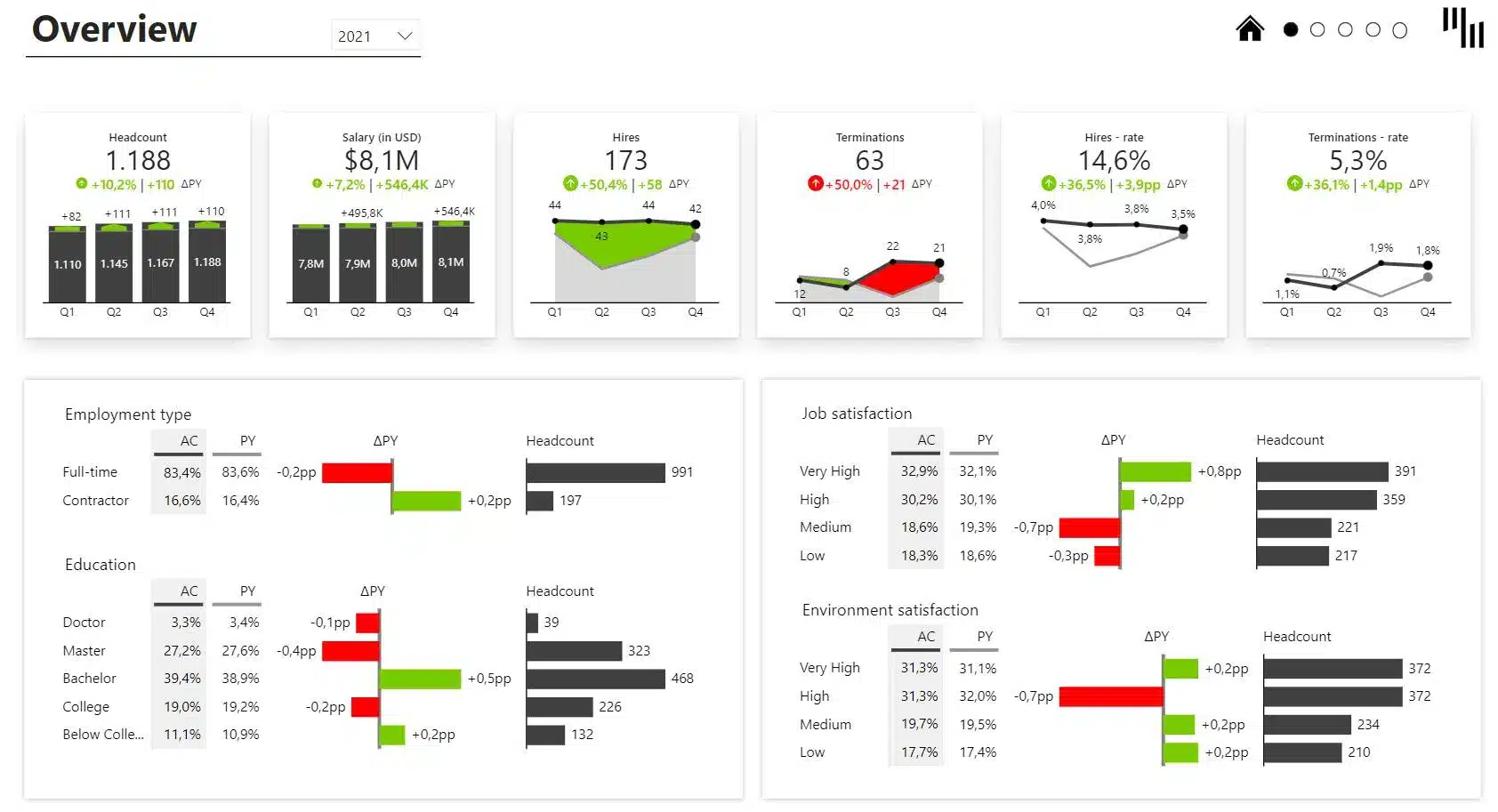
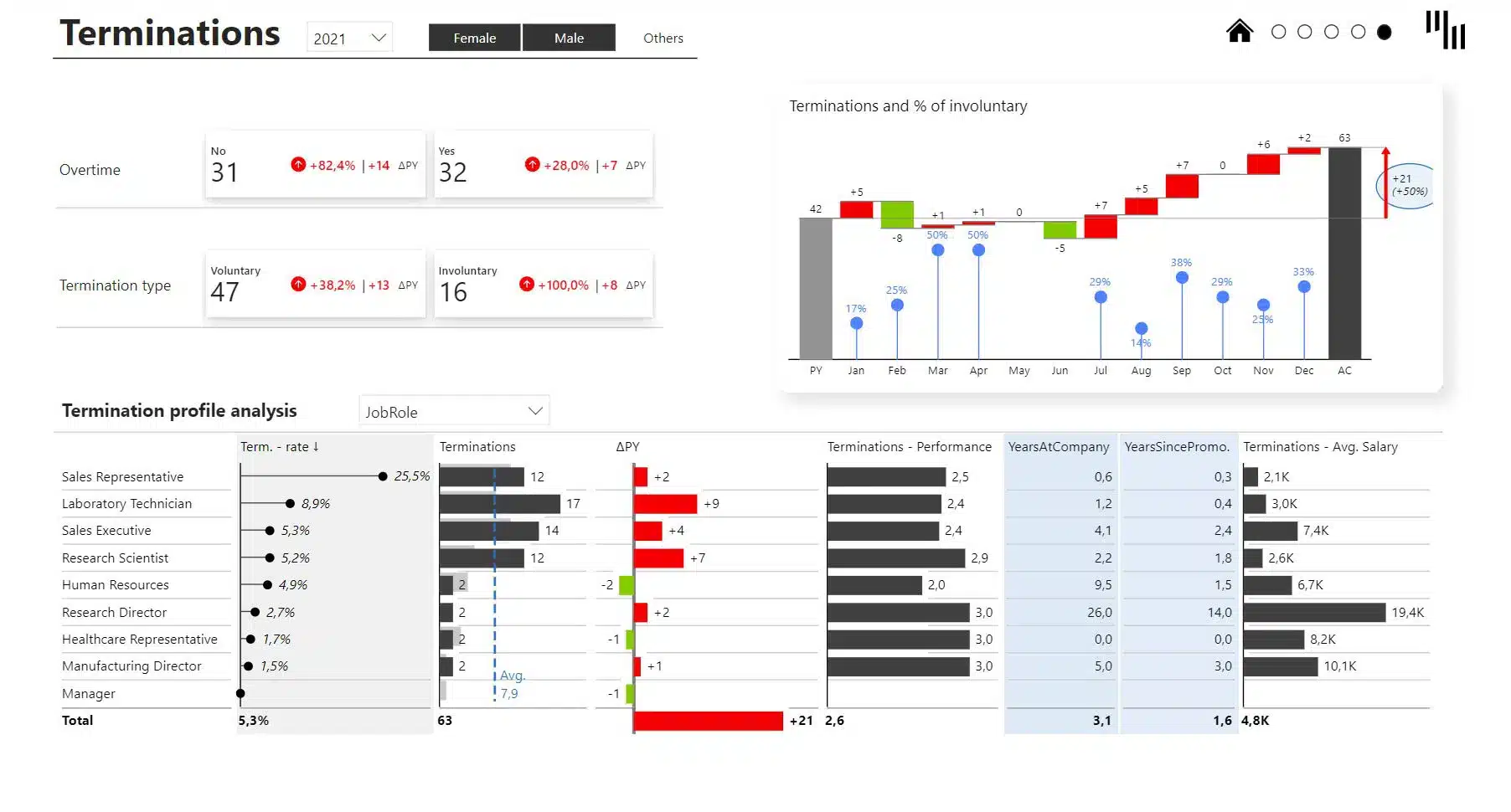
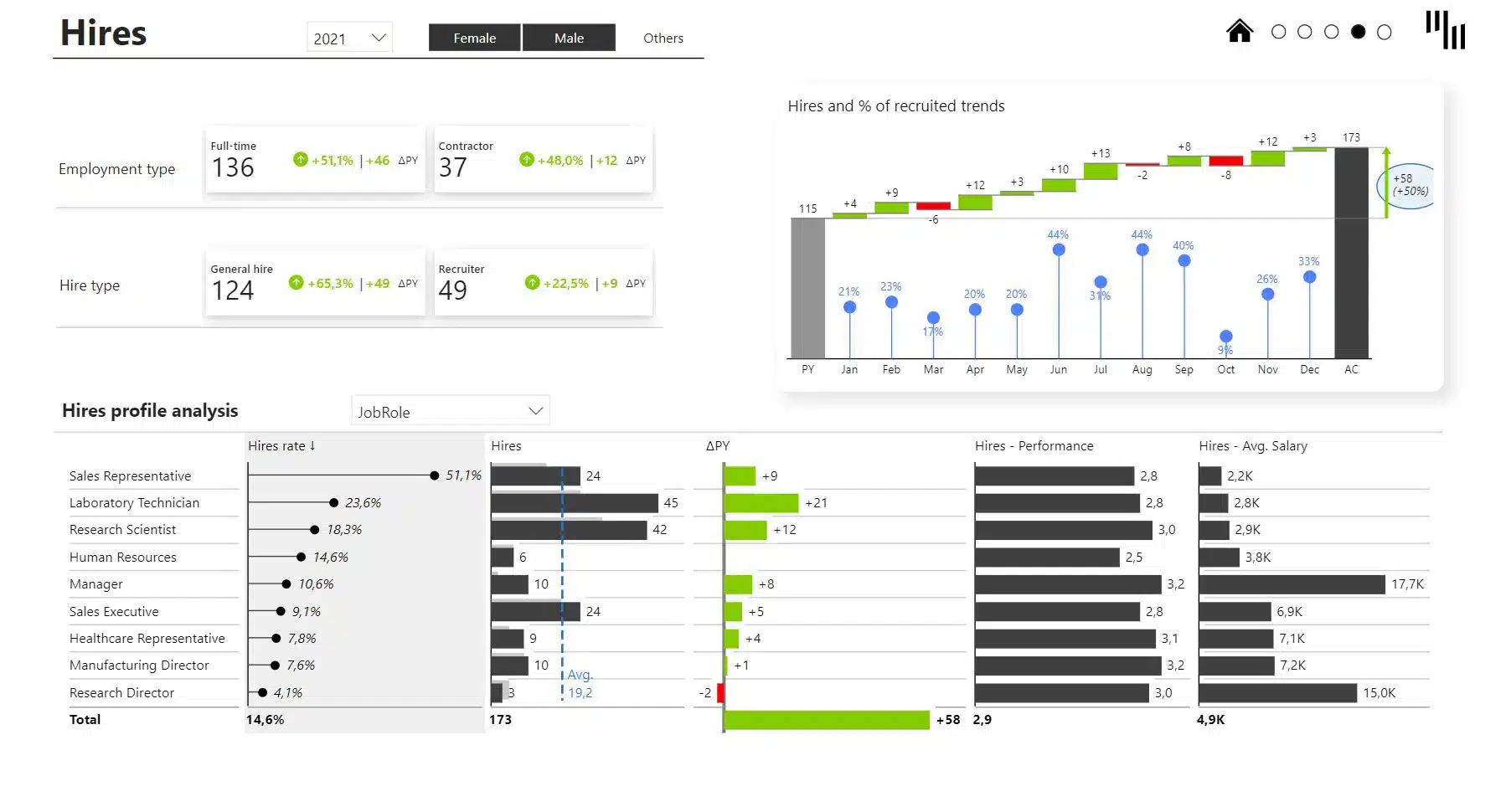
The Human Resources Power BI dashboard allows users to get a clear overview of the company's employees and the most relevant top-level KPIs: Headcount, Salaries, Hires and Terminations. The 4 subsequent pages provide a more detailed view into each of the KPIs and the demographics.
This template is created from the IBM HR Analytics Employee Attrition & Performance dataset, available here: https://www.kaggle.com/datasets/pavansubhasht/ibm-hr-analytics-attrition-dataset
Play with the interactive demo below. If you click the ⤢ icon at the bottom-right of the report page you'll be able to enjoy the full-screen view.
Get started in 3 steps
1
Download & Open
Download the .pbix file and open it in Power BI Desktop
2
Connect Your Data
Replace sample data with your CRM, ERP, or database source
3
Customize & Publish
Adjust KPIs, colors, and branding, then publish to Power BI Service
Fill out the form and get the Power BI template

20,000+ users have downloaded this template