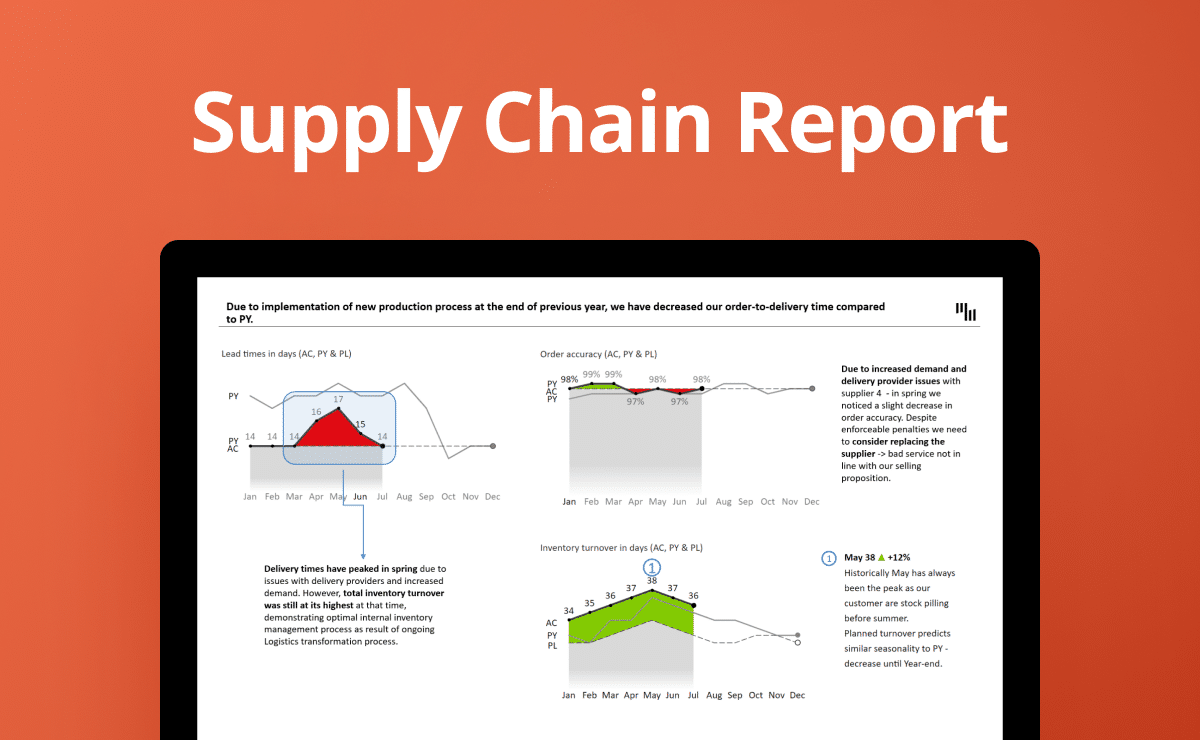
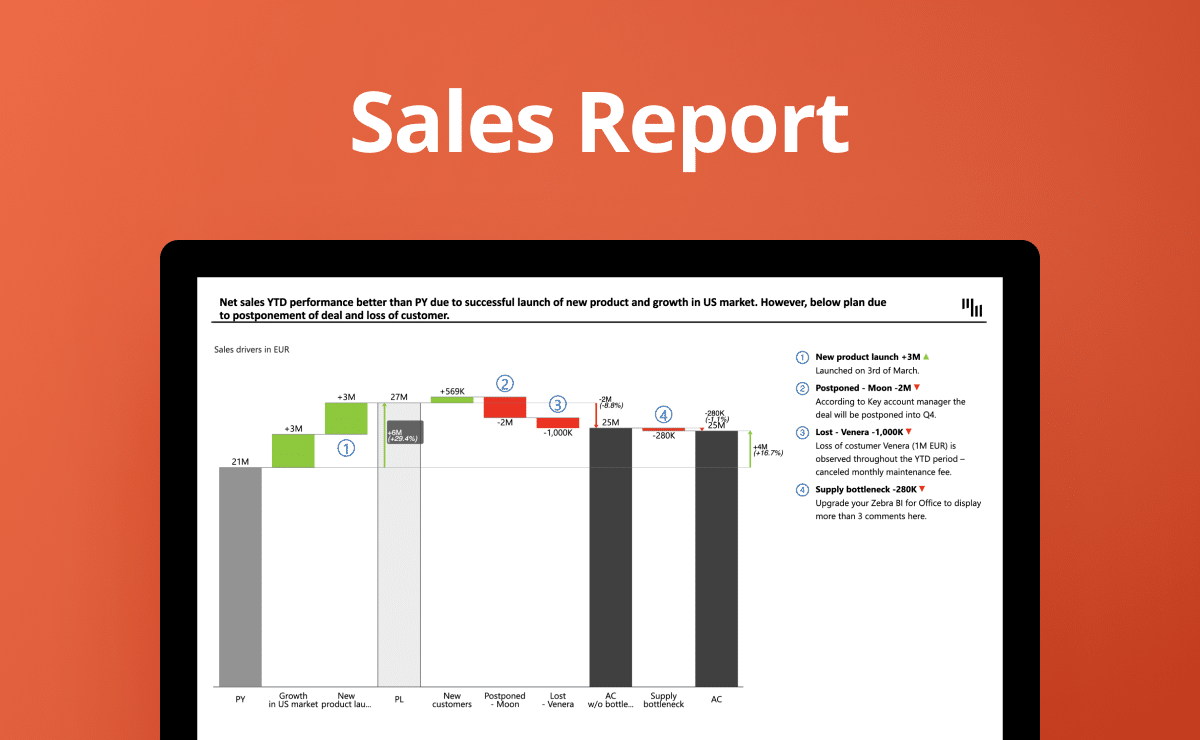
HR Report PowerPoint Template

Overview
In human resources, data isn't just numbers—it's the story of your workforce. The HR report PowerPoint template by Zebra BI is a pivotal tool for Business Analysts, HR departments, Business/Financial Controllers, CEOs, and CFOs. This template highlights HR data nuances and stresses the significance of employee-centric analytics and alignment with strategic workforce goals. HR Report isn't just about simplifying report creation; it's about crafting a compelling message that resonates with your audience. Dive into the world of impactful HR reporting with Zebra BI for PowerPoint.
Insightful HR Analytics for Strategic Decision-Making
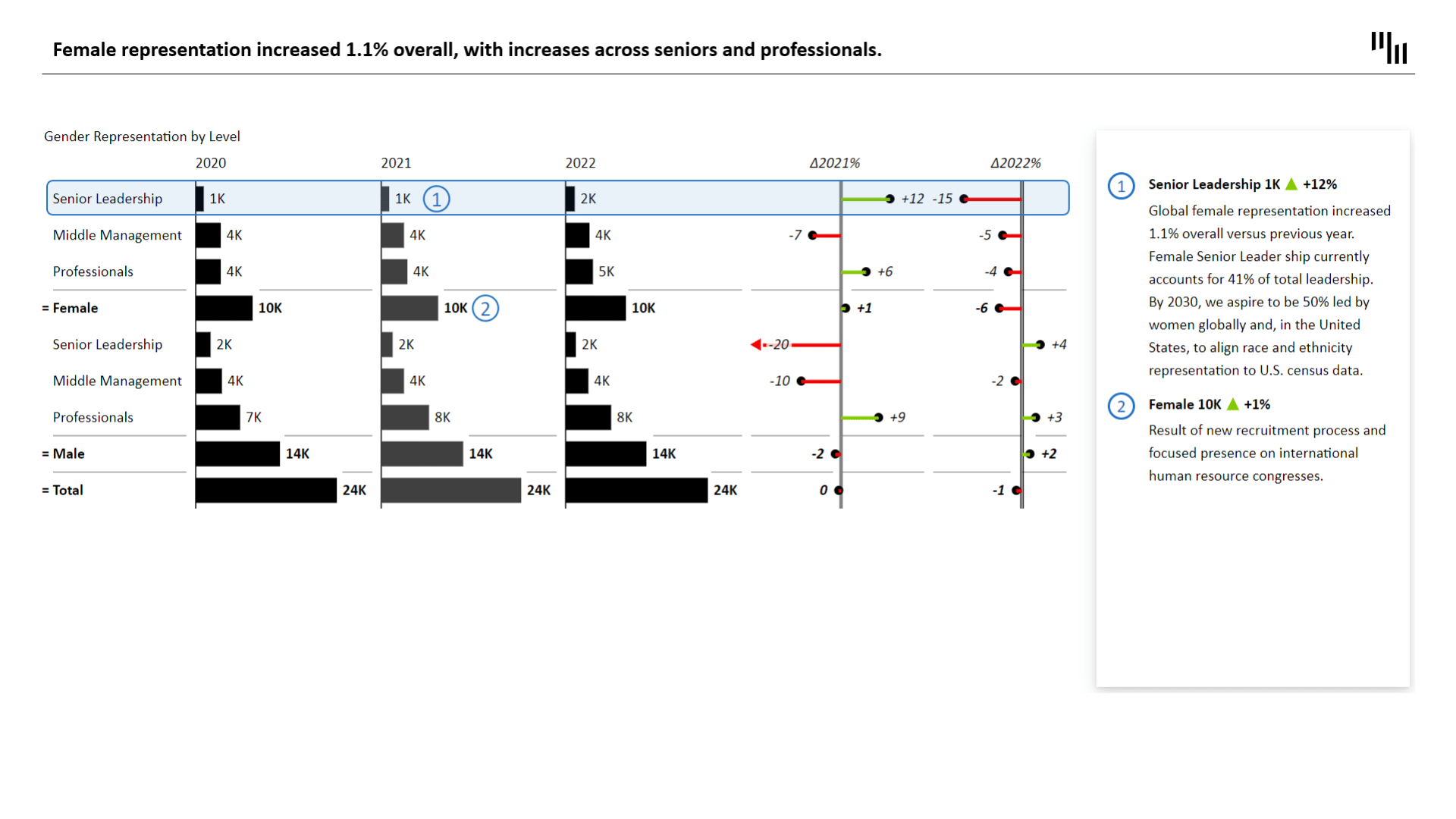
The HR report PowerPoint template elevates how organizations view and interpret HR data. Tracking workforce diversity across various dimensions—gender, race, age—is more than a compliance task; it's a strategic necessity. This template helps you analyze key HR metrics and communicate them effectively, ensuring your workforce strategies align with organizational goals. With Zebra BI's IBCS-compliant visuals, your HR reports transform from mere data sets to narratives that drive change.
Efficient Reporting with Impactful Visuals
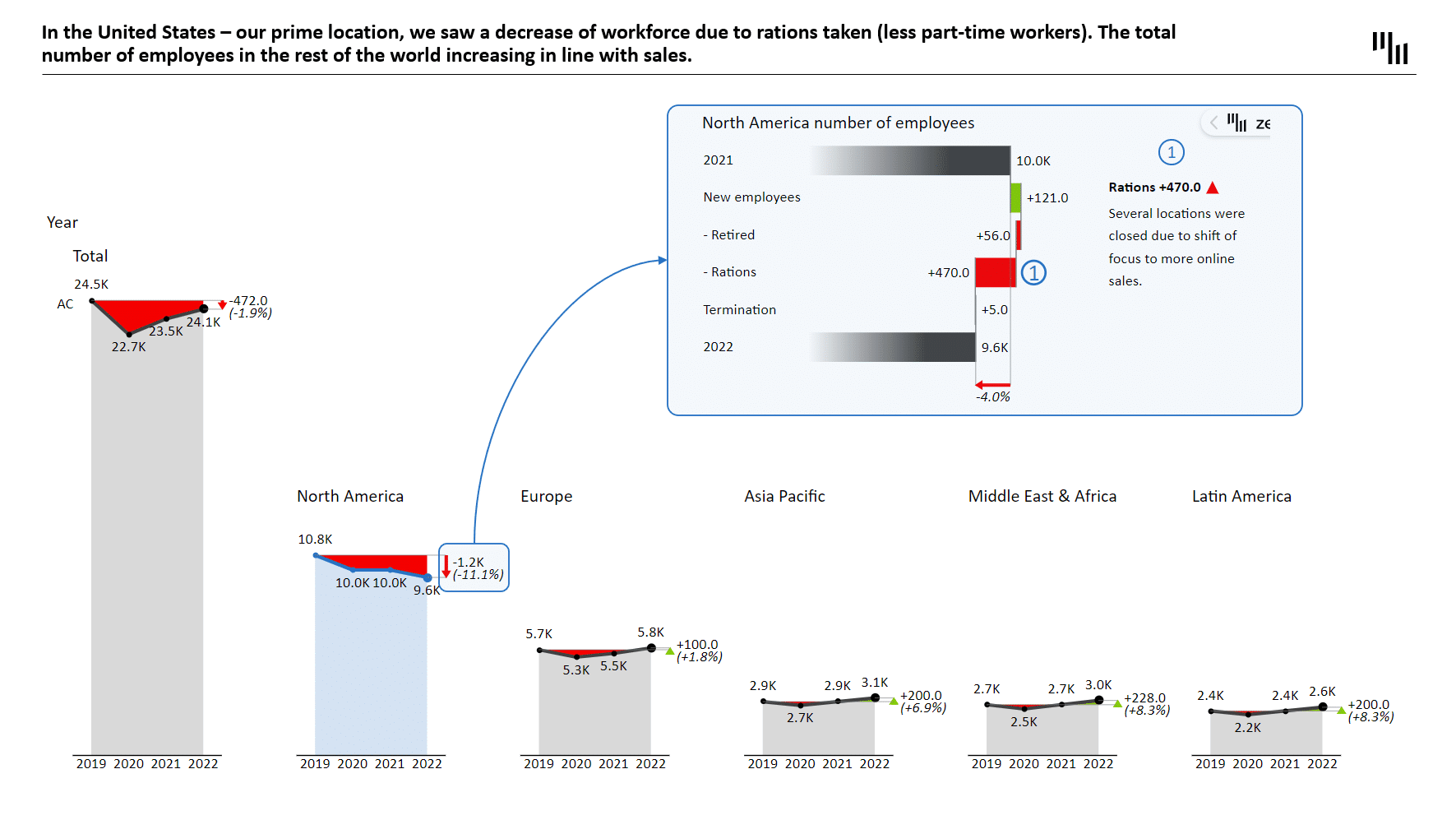
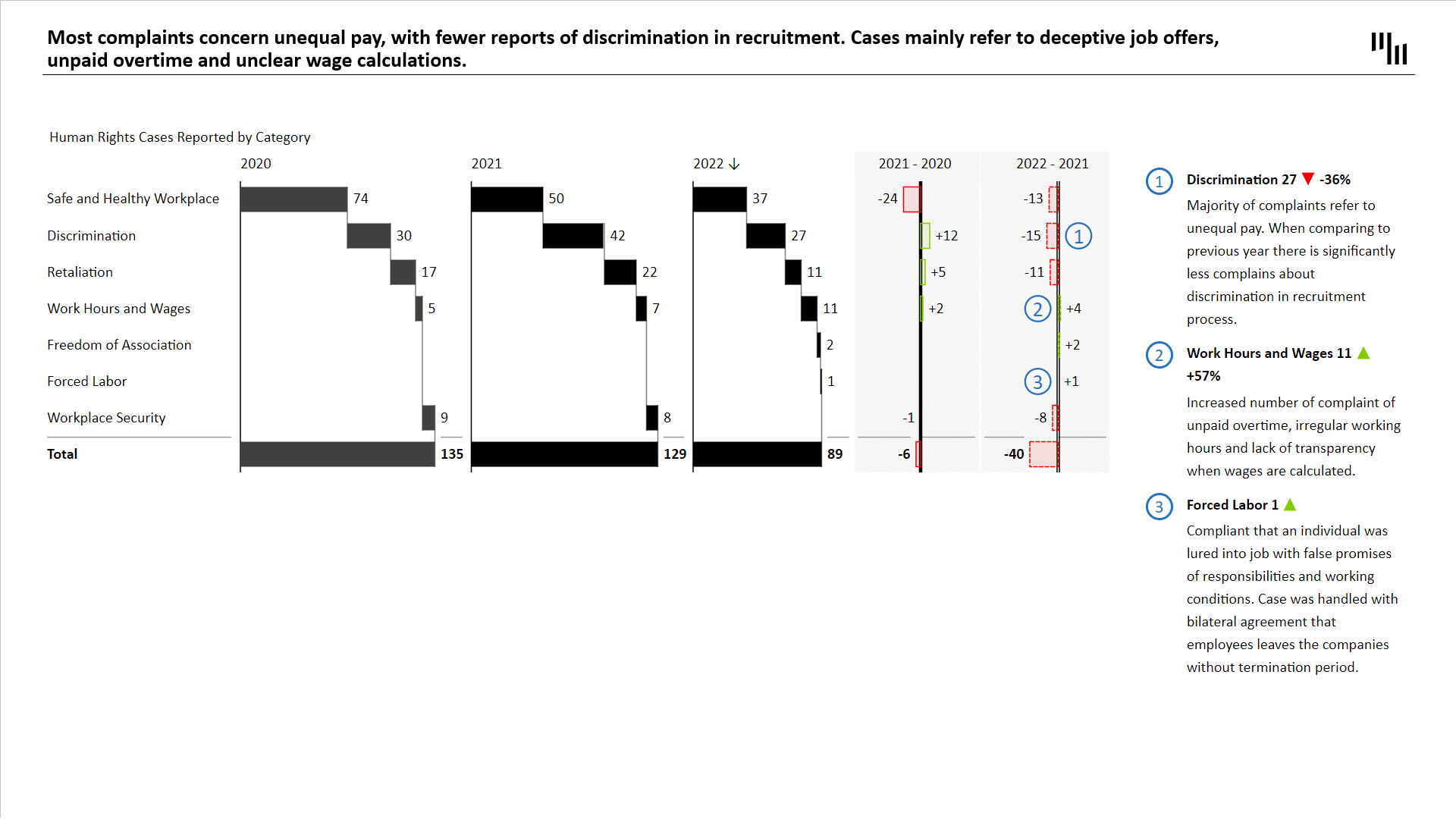
In HR reporting, efficiency isn't just about the ease of creating visuals—it's about the effectiveness of the message conveyed. The HR report PowerPoint template ensures your audience is engaged and informed. The use of ZBI Tables and ZBI Charts offers a segmented overview of headcount by region, gender, and levels of seniority. A horizontal waterfall chart vividly illustrates workforce development, detailing key drivers like terminations, retirements, and hirings. This template isn't just a reporting tool; it's a lens into the heart of your organization's workforce.
Unveiling Employee Satisfaction and Workforce Challenges
Understanding the pulse of your workforce is crucial. This template extends its capabilities to provide insights from employee satisfaction surveys, highlighting areas of concern and success within your organization. The "HR report PowerPoint template" enables leaders to identify and address pressing issues by presenting statistics and trends on employee satisfaction, fostering a more responsive and proactive HR strategy.
Customized Reporting for Diverse HR Needs
Your human resources data reveals a unique story; this template will help communicate it effectively. Customize every chart and table to reflect your organization's metrics and KPIs. Whether highlighting key data points, adjusting formats to align with your brand, or focusing on specific workforce segments, this template offers the flexibility to tailor your narrative. It's more than a presentation; it's a strategic asset in your HR toolkit.
Transform Your HR Reporting Experience
Elevate your HR presentations with the HR report PowerPoint template from Zebra BI. Download this powerful tool, input your data, and witness your HR narratives come to life. It's time to move beyond traditional reporting and embrace a solution that empowers your HR strategies with clarity and impact.
Get started in 3 steps
Fill out the form and get the PowerPoint template