Sales variance analysis report templates for Excel

Overview
Tracking your annual sales performance is key to keeping your numbers up and staying ahead of the competition. These sales variance analysis report templates for Excel will help you quickly turn your data into insights that are easy to understand and inspire action.
Sales variance report template with basic comparisons (up to 3 measures)
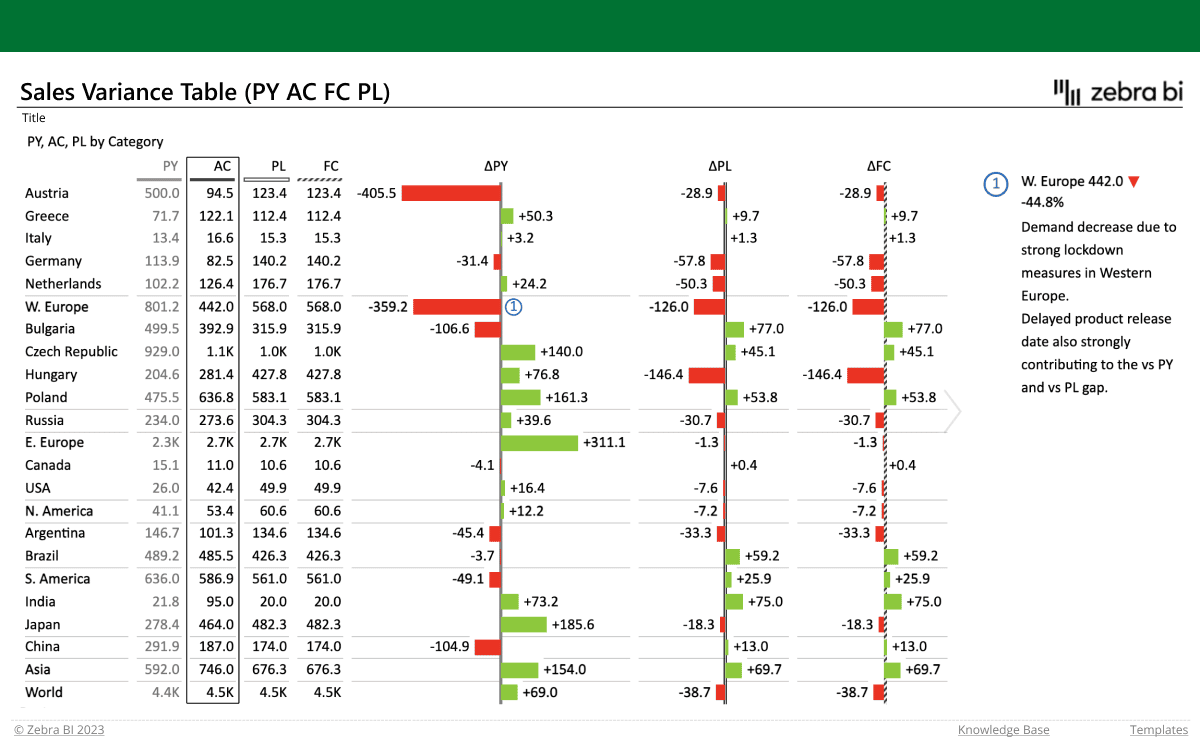
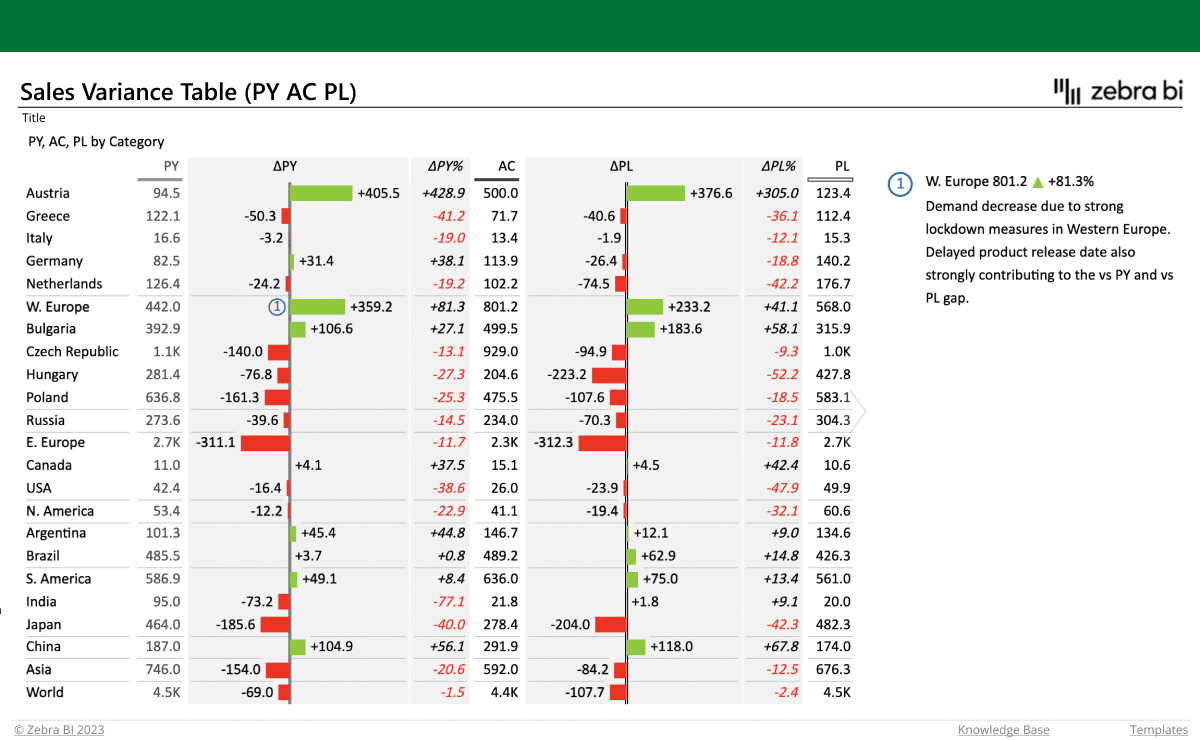
Below you’ll find sales variance report templates that let you show your actual results along with up to 3 comparisons (previous year, plan, and forecast). Use them to visualize your data via hierarchical tables with integrated charts and automatically calculated variances, so you can get a comprehensive insight into your sales performance.
Take advantage of the formula manager to calculate new data elements, and custom calculations (invert/result) to display negative accounts or mark others as result. Want to explain the numbers further? Add dynamic comments to give them some more context.
Sales variance report template with multiple levels
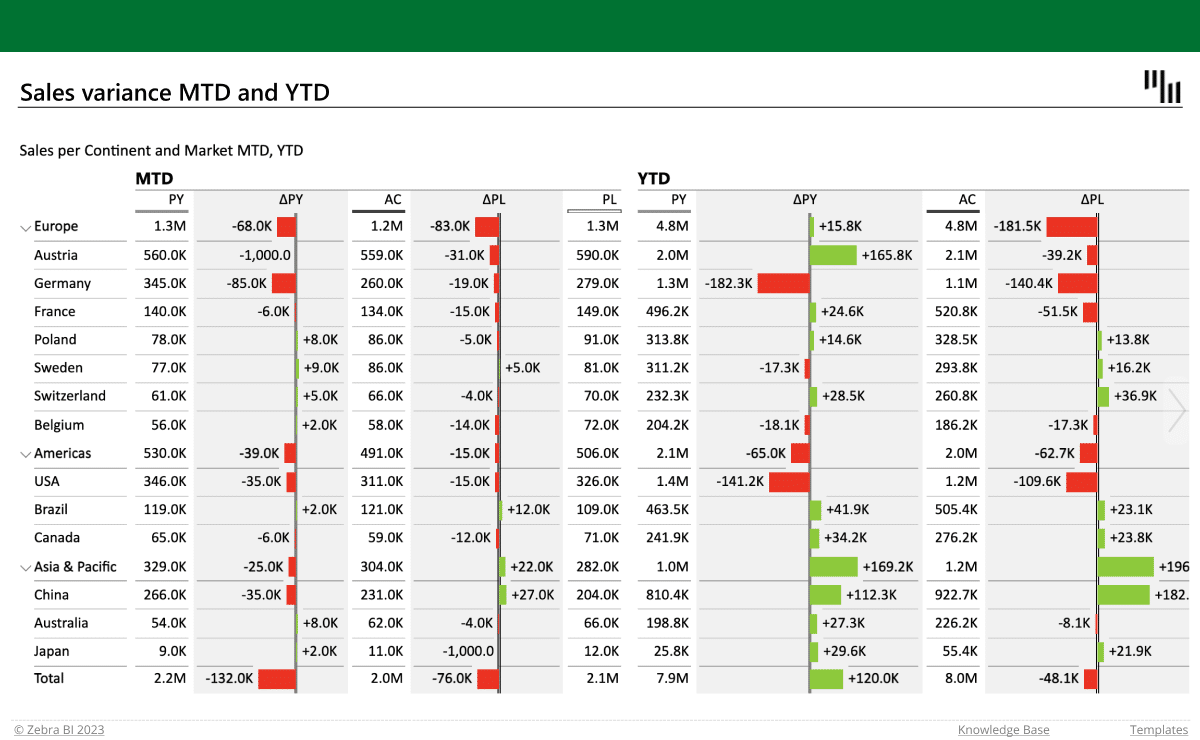
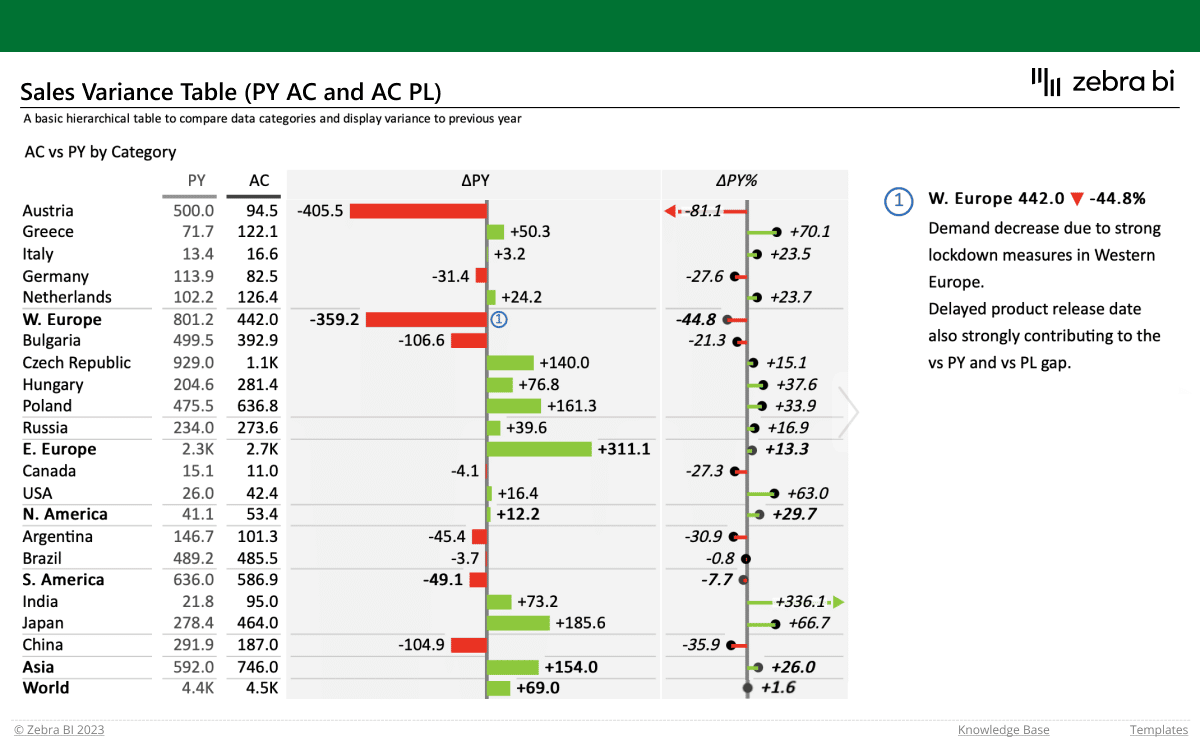
To get more detailed insights into your sales performance, use the multi-level report template. This one presents the data by individual regions and countries, and compares it to the previous year’s results and plan. It also automatically calculates the variances and enables you to easily analyze the data using the year-to-date and month-to-date views.
On top of that, you can calculate new data elements with the formula manager and use custom calculations (invert/result) to accurately present your accounts. You can even filter them using Top & bottom N, and show or hide your overall grand total. And there’s more still! Take advantage of the highlighting options to draw attention to specific rows or columns that need immediate attention and make them stand out with a border.
A wealth of features for next-level reports. And you wouldn’t believe how easy they are to use! Take a look at the quick video below and see for yourself.
Inside this template
Get started in 3 steps
Fill out the form and get the Excel template