September 8th
 February 22nd
 27 Oct 2026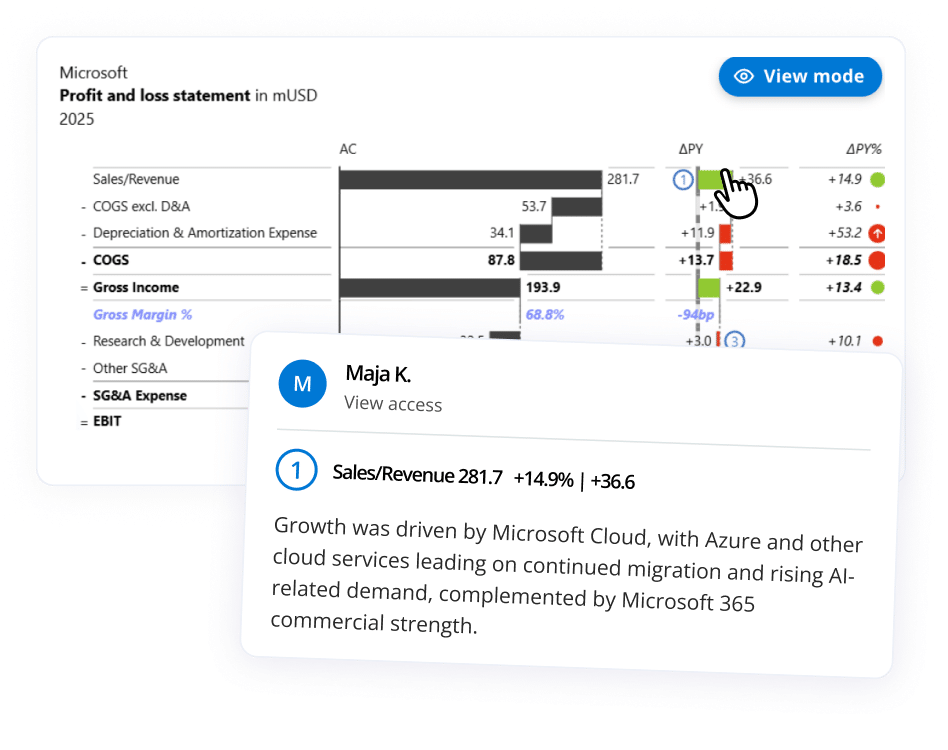
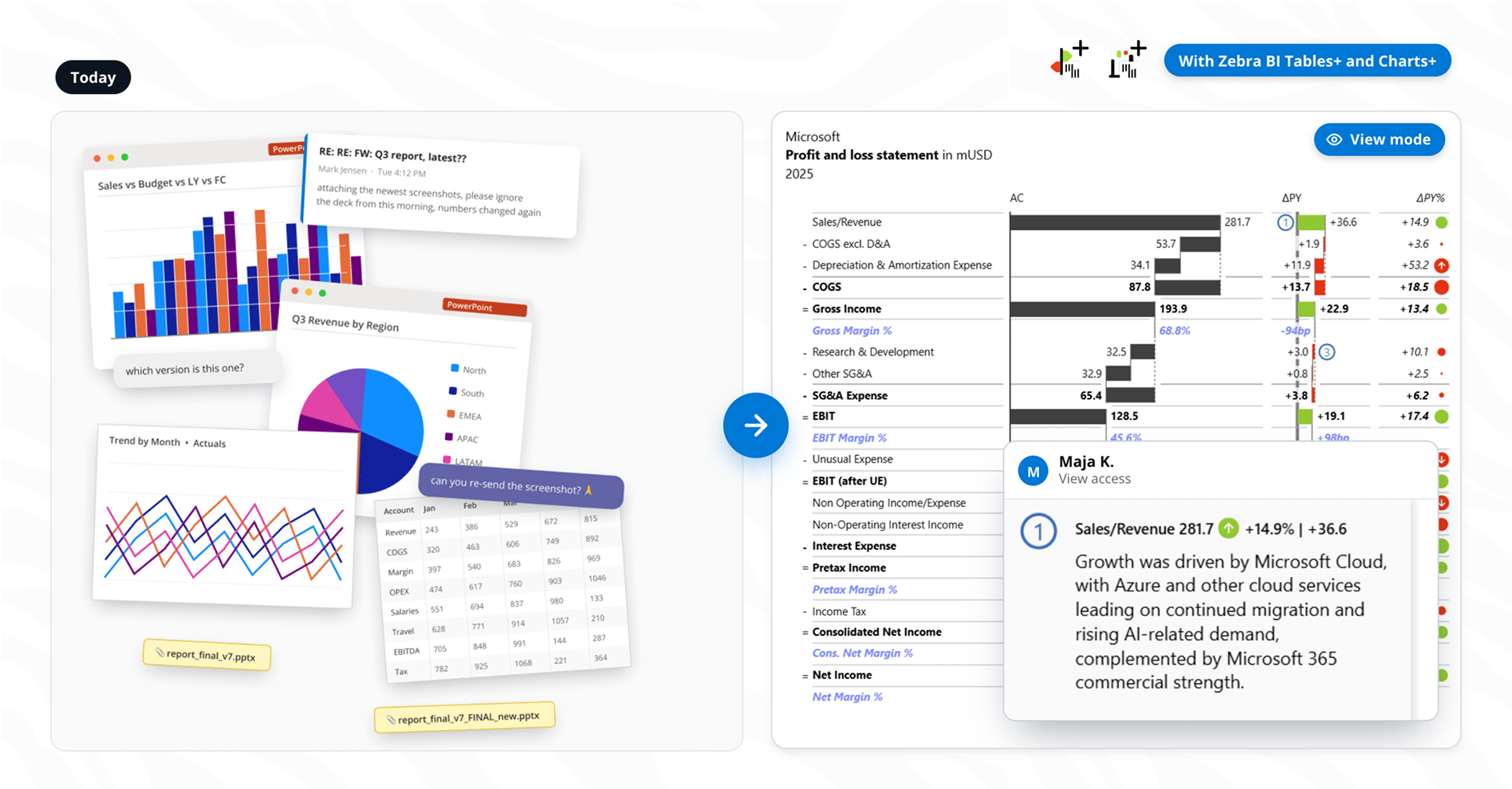
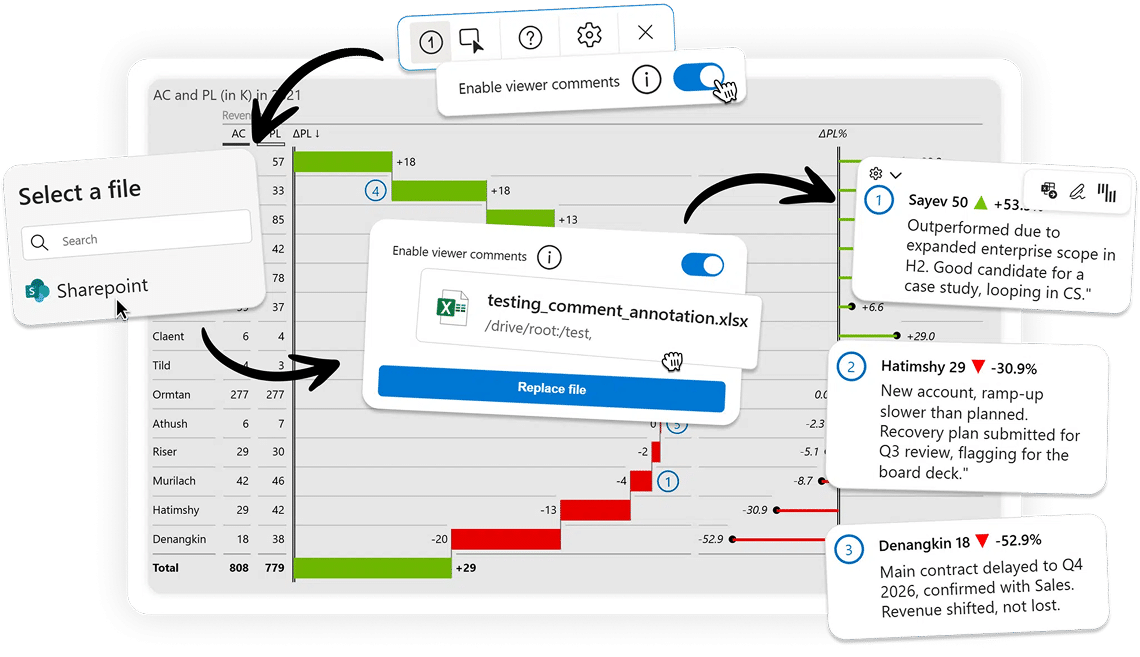
Zebra BI Tables+ and Charts+ are not Microsoft-certified, by design: viewer commenting reads and writes a file in your own SharePoint, which a certified visual cannot do. Everything stays in your own tenant and Zebra BI stores nothing. Read more
The comments are not new. Who can write them is. Report builders have always added dynamic comments in edit mode. With Zebra BI Tables+ and Charts+, report viewers add them on the data point, in view mode, with no Power BI edit access, so the explanation comes from the person who has it.
No. One licence key now covers all five Zebra BI visuals for Power BI. You add Zebra BI Tables+ and Charts+ as two separate visuals from the Microsoft Marketplace, and which one you use depends on your needs.
Yes. Adding a comment means interacting with the report, so anyone who comments needs a licence, the same as any other user. What is not limited is the commenting itself.
No. Viewers can add as many comments as they need, on every plan, with no cap per visual and no higher tier to buy.
Your Power BI workspace permissions are unchanged. SharePoint permissions control who comments, and the setup is one-time and admin-controlled.
No. Power BI includes only certified visuals in native PDF export, PowerPoint export and subscription emails. If a report is distributed that way, use Zebra BI Tables and Charts which are certified.
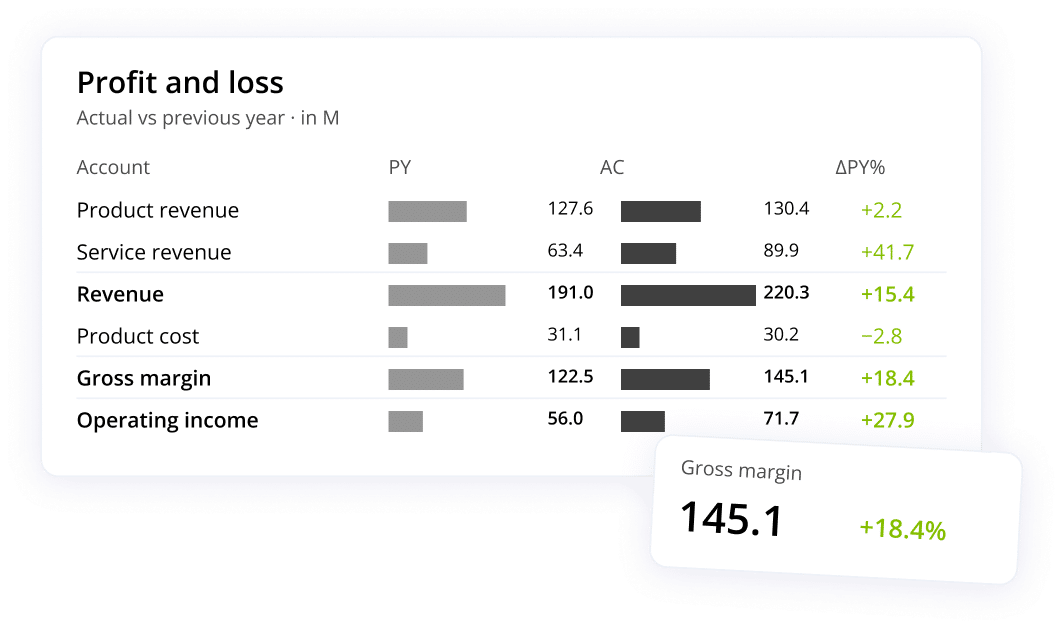
No. Zebra BI Tables, Charts and Cards are unchanged and stay certified. Zebra BI Tables+ and Charts+ are two additional visuals you use where viewer commenting is worth having.