
 September 8th
 February 22nd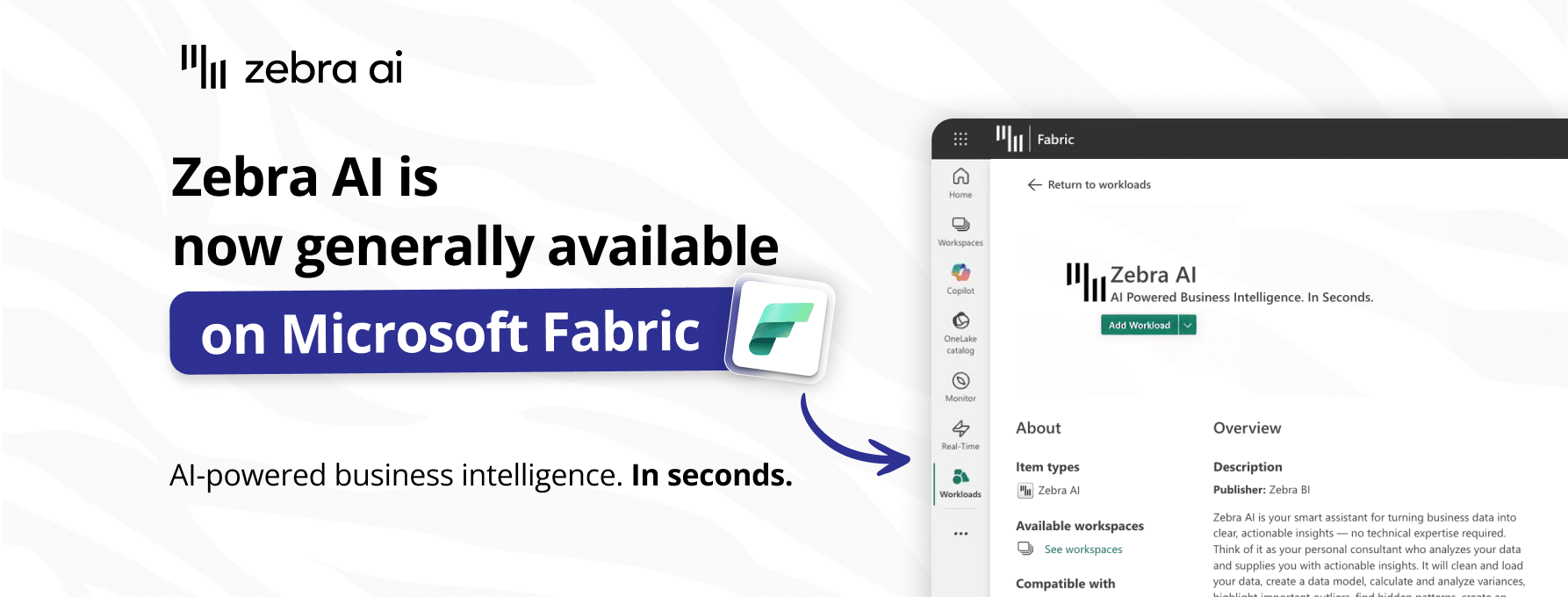
Zebra AI is now generally available as a Microsoft Fabric workload
Today, we’re excited to announce that the Zebra AI workload for Microsoft Fabric is now generally available (GA).
If your data platform is built on Fabric, you likely have trusted data and strong BI in place. And yet in most organizations, the hardest part still happens after the dashboard when leaders ask, “So what?”. Teams then spend hours translating charts into explanations, takeaways, and Excel and PowerPoint outputs that stakeholders can use.
Zebra AI is built for that last mile. It helps teams spot trends and shifts fast, understand the drivers behind change, and generate executive-ready visual stories - then export those stories to Microsoft Excel or PowerPoint (via Zebra BI for Office) for distribution and action.
See how it works:
Who is Zebra AI for Fabric for?
Zebra AI is designed for teams that need clarity at decision time, especially when reporting quality and stakeholder trust matter:
- FP&A / Finance: close packs, performance narratives, exec reporting
- BI / Analytics: higher adoption, fewer “can you explain this?” requests
- Operations: rapid trend discovery and driver clarity across KPIs
- Business leaders: actionable answers without needing deep analytical skills
What our customers say
Zebra AI is already being used in enterprise environments to accelerate recurring analytics workflows and deliver faster, clearer reporting. Zurich Insurance shared the impact they’ve seen from using Zebra AI in Fabric:
Zebra AI workload in Fabric has been a true game-changer for us. Critical, recurring analytical processes that once consumed significant time and resources across multiple platforms are now completed in a fraction of the time. The gains in efficiency, speed, and insight have been remarkable.”
Get a live walkthrough
See the workflow end-to-end:
connect → uncover trends → identify drivers → generate a story → share & export.
Book a 20-minute “Fabric reporting acceleration” session with our team below:
We’ll tailor it to your reporting cadence (close/QBR/business reviews) and data environment (OneLake/SQL/Power BI/Excel).
What General Availabilty (GA)means (and why it matters)
GA is more than a label. It signals that Zebra AI is ready for production use and broader team adoption inside enterprise environments - especially for workflows where reliability, repeatability, and trust matter.
With GA, Zebra AI is ready to support:
- Recurring reporting cycles (monthly close, QBRs, business reviews)
- Executive stakeholder narratives
- Ad hoc exploration, including for business users who need answers without waiting in a queue
How Zebra AI works (in practice)
1) Connect your dataset
Zebra AI workload can be added to any Fabric Workspace. From there, the magic begins.
Zebra AI is designed to start from the data and models teams already rely on without forcing a new reporting setup. You can work directly with OneLake and SQL sources, reuse existing Power BI datasets/semantic models (including Row-Level Security (RLS)), and also alternatively start quickly from Excel/CSV when that’s how a team’s reporting begins.
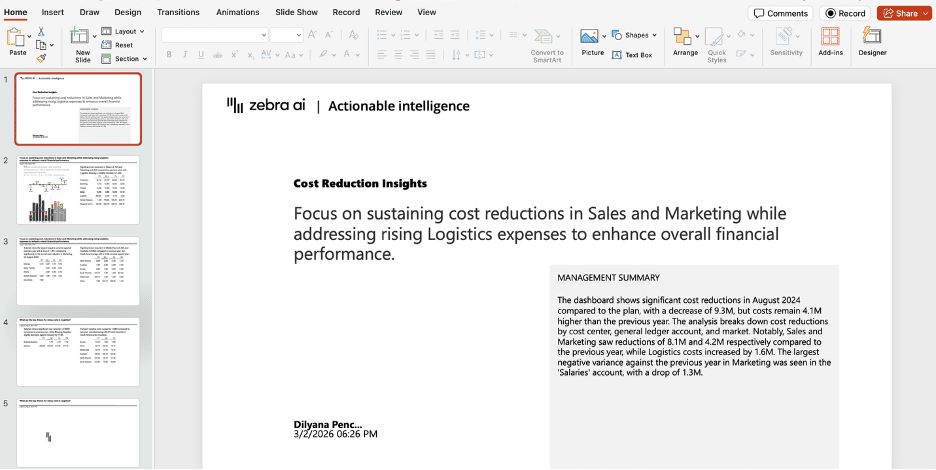
Once the story is ready, outputs can be shared in the workspace or exported to Excel and pre-formatted PowerPoint so insights flow straight into the formats used for leadership packs, review cycles, and follow-through.
2) Create dashboards & stories at the speed of business
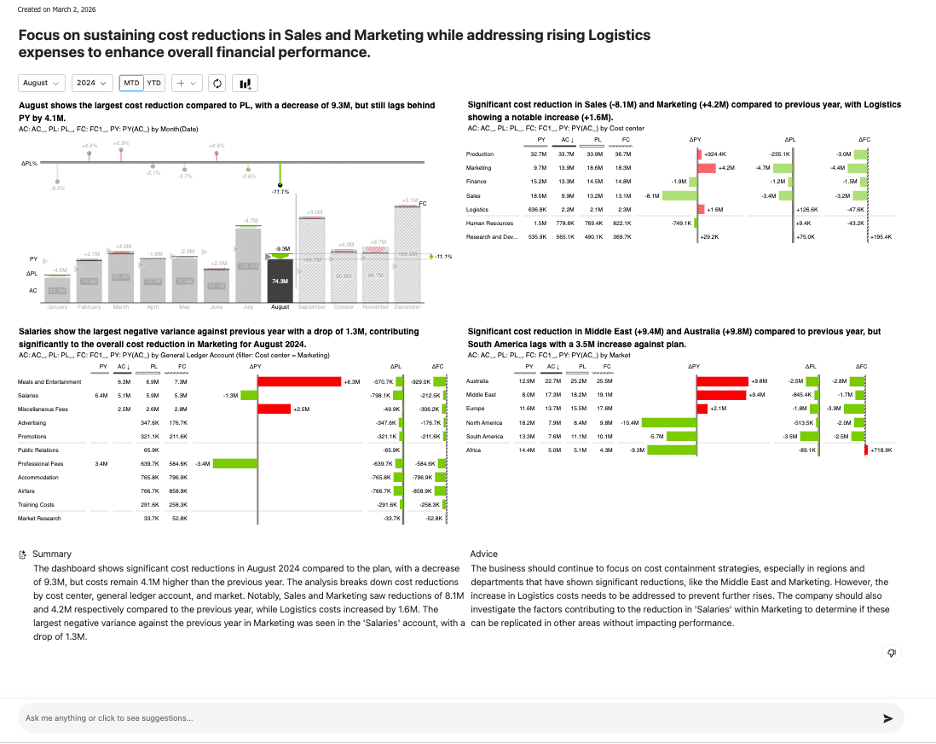
Upload or connect governed, tabular data and get an immediate first draft, to you can move from “here’s the dataset” to “here’s what changed and why” without writing queries, modeling work, or long setup. Zebra AI will:
- highlight the changes that matter (and what moved most)
- explain the drivers behind those movements
- assemble a structured story you can iterate on in chat and export to Excel/PowerPoint
- render results with IBCS-style, decision-grade visuals suitable for executive reporting
- provide an executive summary plus actionable suggestions, along with prompt ideas to explore the dataset further
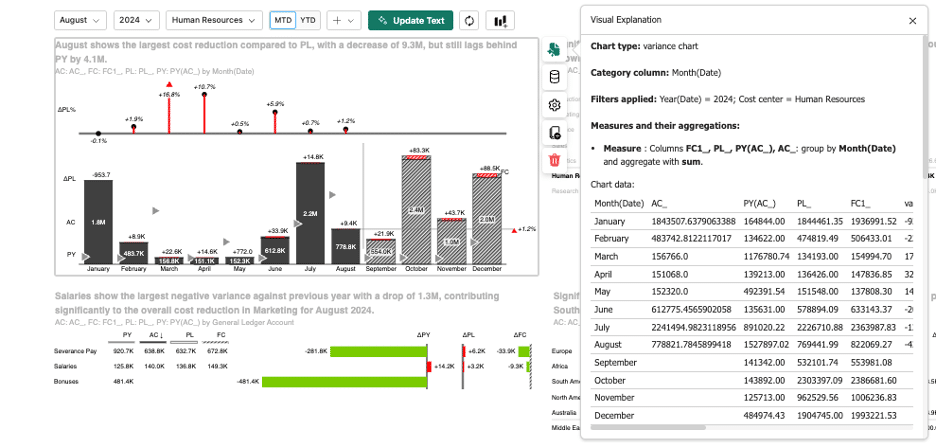
All charts are configurable, and the underlying numbers are documented and reviewable so it’s clear what was calculated and why.
3) Explore and refine analysis through natural-language chat
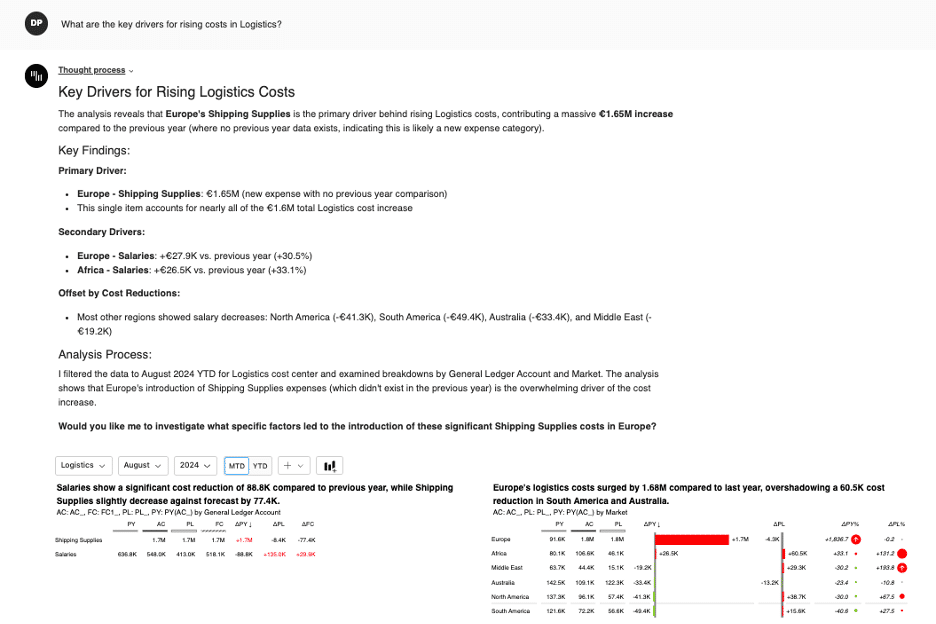
Use the Natural language analysis chat to investigate performance in plain English and iterate quickly with follow-ups. Zebra AI supports common analysis workflows such as:
- root-cause and variance analysis
- what-if / scenario comparisons
- drill-down exploration
- benchmarking across segments and time periods
- forecasting (where applicable to the dataset)
Example questions:
- “What drove the revenue variance vs plan in North America this month?”
- “Explain the gross margin change by price, volume, mix.”
- “How much of the EBITDA variance came from cost inflation vs productivity gains in 2025?”
- “Which customer segments contributed most to the ARR decline vs last year?”
Zebra AI also suggests prompts proactively to help users explore deeper without knowing exactly what to ask upfront.
4) Produce stakeholder-ready outputs and distribute them in the formats teams use
Zebra AI packages analysis into a reusable story format for monthly close, QBRs, business reviews, and ad hoc stakeholder questions - combining the headline changes, the drivers behind them, and clear takeaways. Everything remains editable (charts, text, filters) and reviewable via supporting breakdowns and drill-downs (e.g., region, product, customer segment), so teams can validate conclusions before sharing.
Stories stay available in the workspace for collaboration, and can be shared or downloaded as Excel or pre-formatted PowerPoint decks. Exports integrate with Zebra BI for Office, reducing repetitive chart and slide rebuilding each cycle.
Designed for trust: governance and explainability
Zebra AI is designed to support enterprise expectations around trust and adoption. Outputs are grounded in the underlying governed data and are intended to be explainable and reviewable, pairing narratives with driver context and supporting breakdowns so teams can validate results and align stakeholders faster. When connecting to Power BI datasets, Zebra AI respects Power BI Row-Level Security (RLS), aligning insights with existing access controls.
How to get started
Zebra AI is available as a Fabric workload and can be enabled via the Workload Hub, the central place to discover, evaluate, and manage workloads in Microsoft Fabric.
- Open Microsoft Fabric → Workload Hub → Zebra AI
- Connect your governed dataset
- Explore trends, uncover drivers, and generate a story
- Export to Excel and PowerPoint when you need to distribute or operationalize outcomes
- Share with stakeholders and repeat next cycle
Prefer a guided rollout?
Additional materials
- Step-by-step tutorial on getting started with Zebra AI
What's next
We’ll continue investing in Zebra AI to strengthen its reasoning and visualization for finance and sales reporting, expand the chat experience with richer analysis patterns, improve scale and performance for larger datasets, and ship ongoing UX/workflow improvements across story creation, editing, collaboration, and export -making it faster and easier to go from governed data to stakeholder-ready communication.
About Zebra BI
Founded in 2014, Zebra BI helps organizations turn complex data into clear, actionable decisions. Its purpose-built solutions elevate Microsoft Power BI, Excel, and PowerPoint with IBCS-compliant, decision-ready visuals that bring clarity, consistency, and strategic alignment to enterprise reporting. Trusted by finance and business leaders worldwide, Zebra BI standardizes how performance is analyzed and communicated, enabling faster alignment, sharper insights, and better decisions at scale. Building on this foundation, Zebra BI is advancing into AI-powered decision intelligence with Zebra AI, delivering automated insight generation and guided next steps that move teams from analysis to action. Today, Zebra BI solutions are used by more than 1.5 million business users across thousands of organizations globally, including Microsoft, Coca-Cola, Nestlé, PwC, Deloitte, Bayer, and Nike.