IBCS® Certified
PBI Certified

Stacked Waterfall Chart in Zebra BI Charts

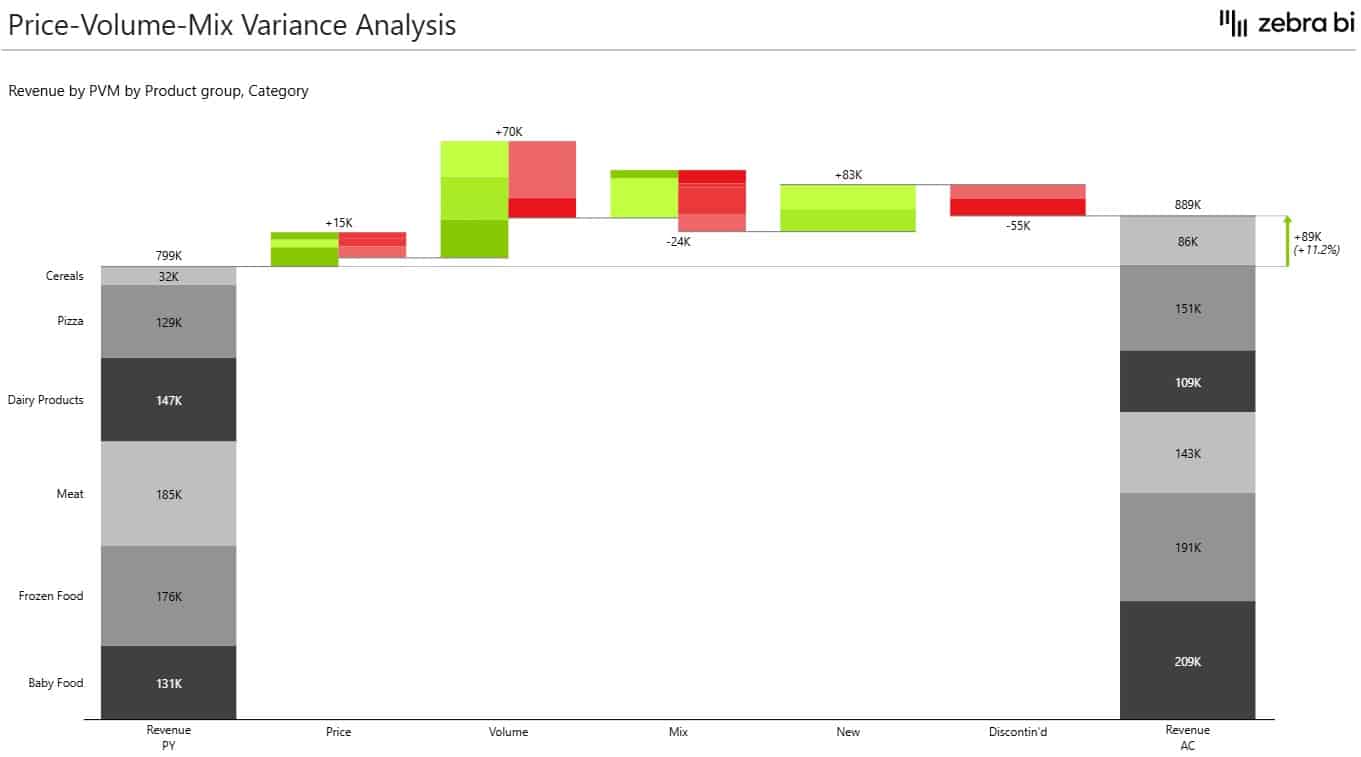
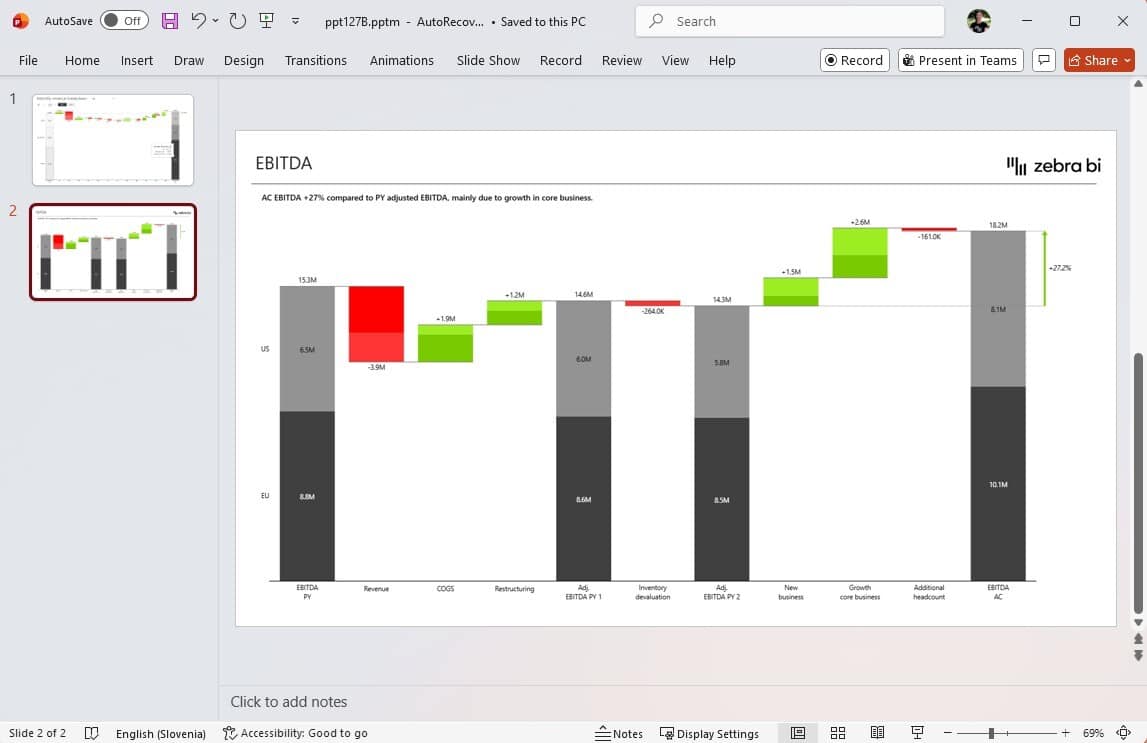
Every waterfall tells you what changed. A stacked waterfall chart shows you which segments drove the change and by how much in a single view. 

With Zebra BI Charts, this is now available. Stop explaining the numbers. Start acting on them.
Download the Demo PBIX file that contains all the latest features illustrated with many practical examples.

Note: This is a private version of our Power BI visuals (not the AppSource version).
Download PBIX

Watch the Video

Watch the video below for a quick and practical overview of all major NEW features & updates:
0:00 - The Gap in Every Waterfall Chart: Totals Without Breakdowns
0:27 - Introducing the Stacked Waterfall Chart in Zebra BI 8.0
0:45 - Why Small Multiples and Tooltips Both Fall Short
1:43 - Setup: Adding Segment Stacking in 30 Seconds
2:38 - Use Case: Monthly Revenue Bridge in a CFO Review
3:11 - Color Coding and Single-Segment Highlighting
3:43 - Export-Ready: No More Rebuilding Slides by Hand
Share this

Interact with Zebra BI visuals for Power BI 👇

Play with our interactive example to get inspired and see all the new features in action. 
Tip: Make sure you put the interactive report in the full-screen mode (⤢) and check out all the pages by pressing the navigation arrows.

Complete clarity

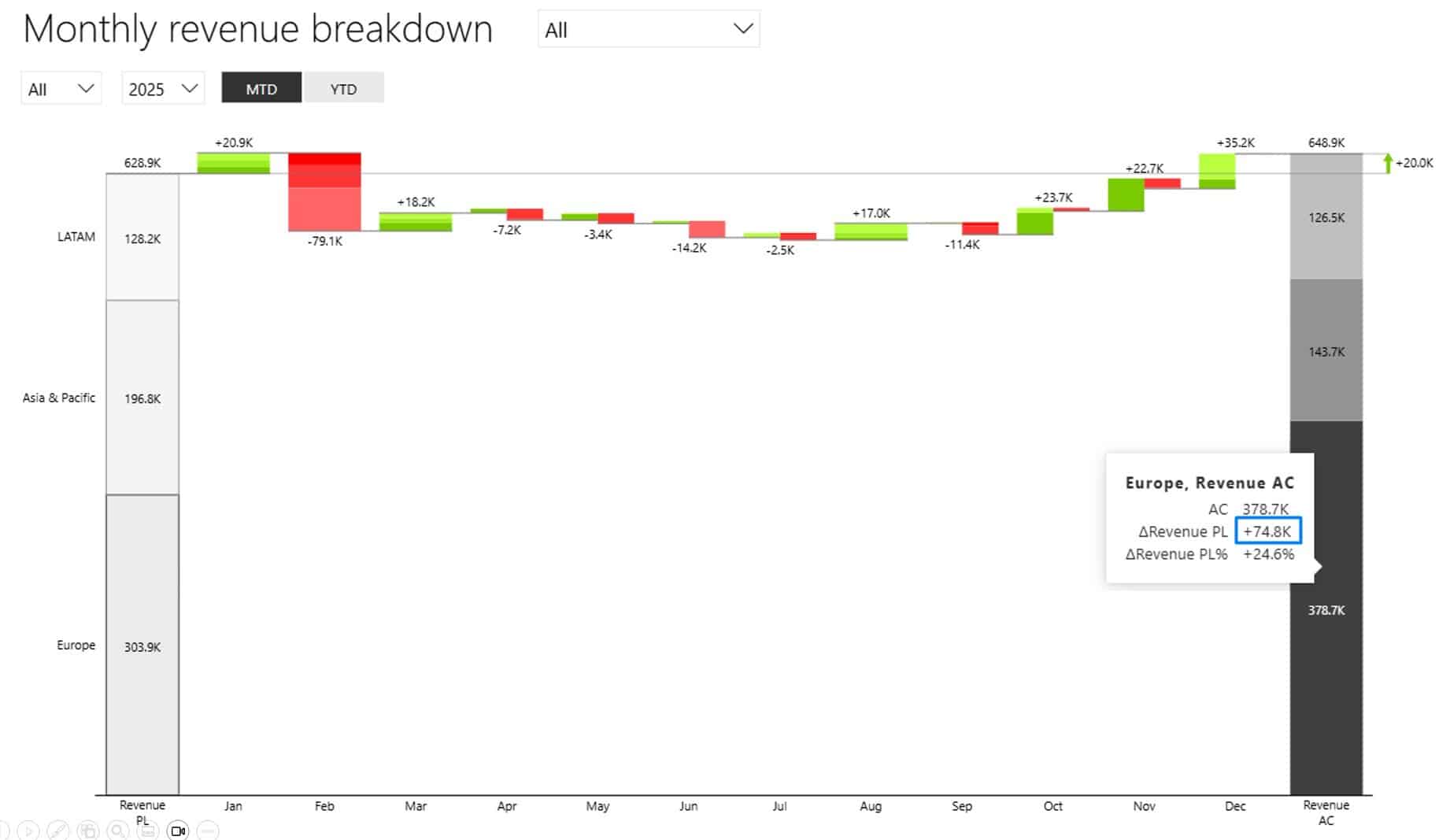
Revenue is up 20k. The CFO's first question is where it came from.

A stacked waterfall chart has the answer in the same column: LATAM down 1,7k,  Europe up 74,8k, APAC down 53,1k.

Focus on the issue, not the explanation.


30-sec setup

Drag your segment dimension into the Groups field to create Small Multiples.

Then click 'stacked' in the top-right chart controls, and voila. No DAX, no extra measures.
📖 Read the step-by-step guide

No more rebuilds

Tooltips disappear on export.

Stacked Waterfall places the breakdown directly on the bars, so the PDF, screenshot, or board deck shows the full picture.

Nothing to rebuild on a separate slide.

Why it matters? 🎯

  • Revenue reviews start at "what do we do next" instead of "where did this number come from."
  • Board packs and PDF exports carry the full segment story without manual rebuilds
  • One visual answers how much changed and why, without switching pages
  • Works across any analysis where a total needs its contributing parts
Start a free trial

Other Improvements

Zebra BI Charts 8.0

  • HTML formatting in comments sourced from the data model is supported again, now with hardened, secure input handling.
  • Invert variance colors is now bookmarkable, so the setting holds across bookmarks and report states.

Zebra BI Tables 8.2.1

  • The conditional-variance color picker no longer appears on the Table chart type, where it does not apply.
See full changelog

Time to give it a spin!

If you're using the AppSource version of Zebra BI (version 4.0.0 or higher), then your Zebra BI will be updated via Microsoft's AppSource marketplace automatically once processed.

If you're using an older (private) version of Zebra BI (e.g. 3.x.x or older), then this is a perfect opportunity to update your Zebra BI! When ready, just shoot us an email at support@zebrabi.com and we'll help you migrate to the latest version.

Haven't tried Zebra BI before? Opt in for our free trial here:

Start Your Free Trial