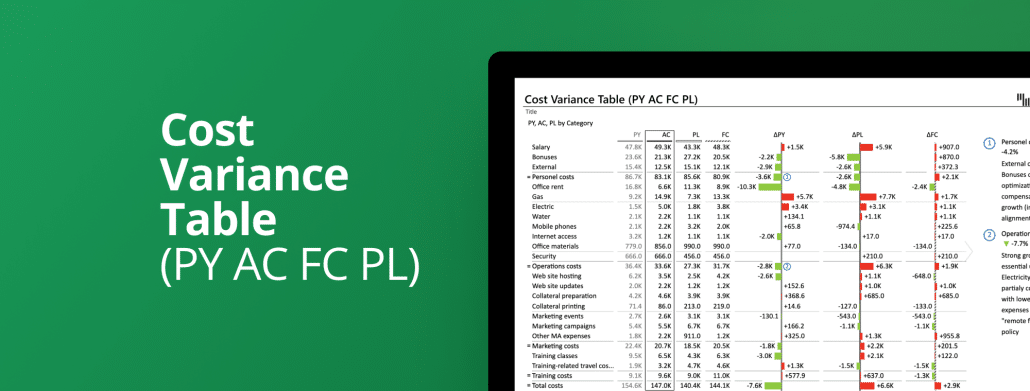
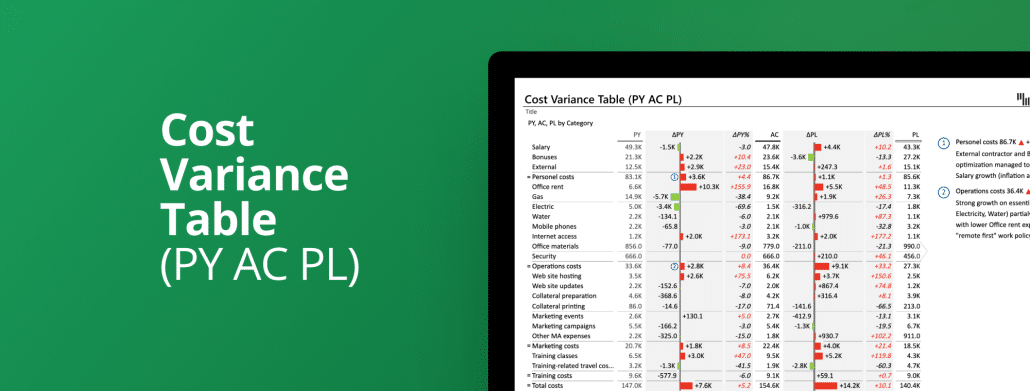
Next-level visualization of different costs with three comparison measures in one table: the previous year (PY), forecast (FC), and plan (PL). Add dynamic comments for more insights.
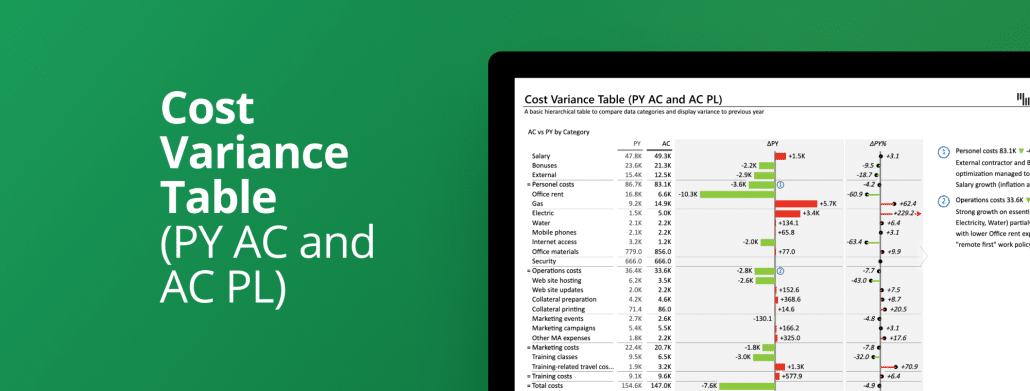
Display different costs with absolute and relative variance. Compare the actual (AC) value with the previous year (PY) and plan (PL) in the same table and add dynamic comments for more insights.
Show different costs compared to the previous year or plan. Use custom calculations or not, display dynamic comments, and visualize variances for more insights.
The most advanced template for monthly sales variance report featuring 3 comparisons in the same waterfall or column chart: previous year, forecast, and plan compared to the actual value.
On one page you can compare the actual (AC) sales performance over months to the plan (PL) and forecast (FC) with Zebra BI Charts. Automatically calculated variances are also visualized together with dynamic comments for more insights.
On one page you can compare the actual (AC) sales performance over months to the plan (PL) and previous year (PY) with Zebra BI Charts. Automatically calculated variances are also visualized together with dynamic comments for more insights.
 September 8th
 February 22nd