Products
Zebra BI for Power BI
Zebra BI for Office
Zebra AI
NEW
On-Demand Product Demo
10 min
Zebra BI Live Demo
September 16, 2026
Solutions
BROWSE BY TEAM
Solutions overview
Finance & FP&A
Sales & Revenue
Executive & Board Reporting
Resources
GETTING STARTED
How to start with Zebra BI?
Zebra BI Academy
RESOURCES
Resource Hub
Templates
Webinars
Guides
Customer Stories
HELP
Knowledge Base
Product updates
Contact support
Customers
Pricing
Search for
Login
Try Zebra BI for free
Try For Free
Products
Zebra BI for Power BI
Zebra BI for Office
Zebra AI
NEW
Zebra BI live demo
September 16, 2026
On-Demand Product Demo
10 min
Customers
Partners
Pricing
Solutions
Solutions overview
Finance & FP&A
Sales & Revenue
Executive & Board Reporting
Resources
How to start with Zebra BI?
Zebra BI Academy
Resource Hub
Templates
Webinars
Guides
Customer Stories
Help
Help Center
Knowledge Base
Beginner's Guide
101 Crash Course
Chart Selector
Product updates
Contact support
Why Zebra BI
Our customers
Actionable reporting
Supercharge your Power BI
Calculate return on investment
Log In
Close
Upcoming webinar:
How to make your Power BI reports run up to 10x faster
September 8th
Register
Zebra BI Live Product Demo:
Start creating truly insightful Power BI reports and dashboards
February 22nd
Save the spot
Live launch event:
Your Power BI report becomes a two-way conversation
15 Sep 2026
Save my spot
Home
Resources
Topic:
Technical
Topic:
Technical
Excel
Webinar
May 11, 2016
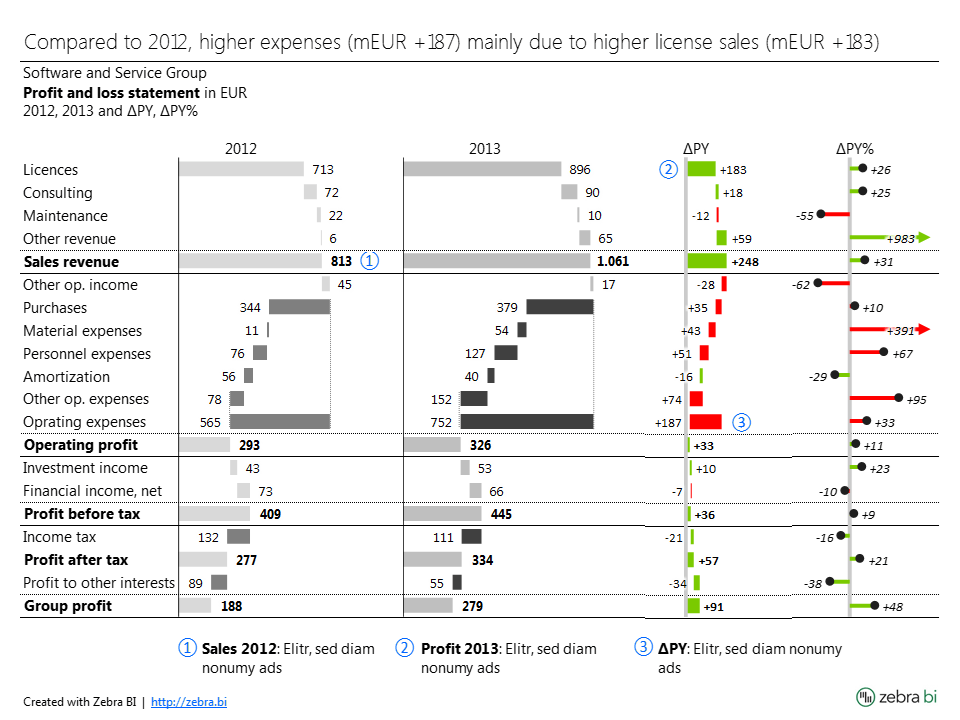
How to Design Income Statements (Profit & Loss Statements) in Excel
In need of some guidance on how to redesign the income statements to make them actionable, understandable and compliant with IBCS standards?
Watch now
Excel
Guide
March 23, 2016
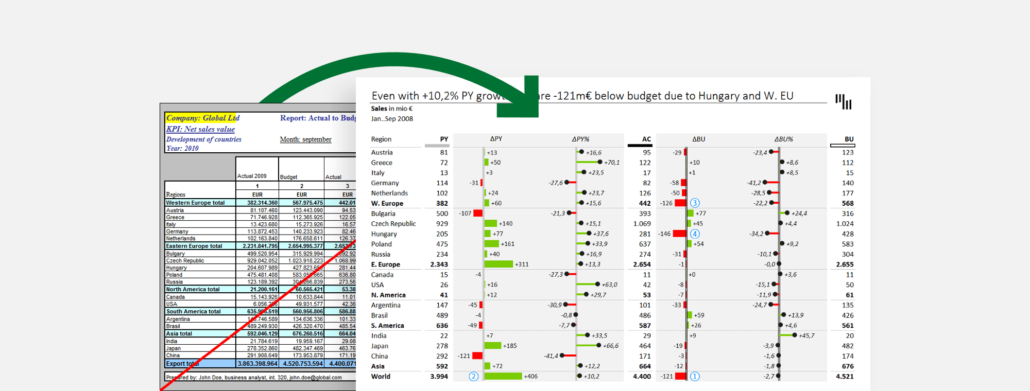
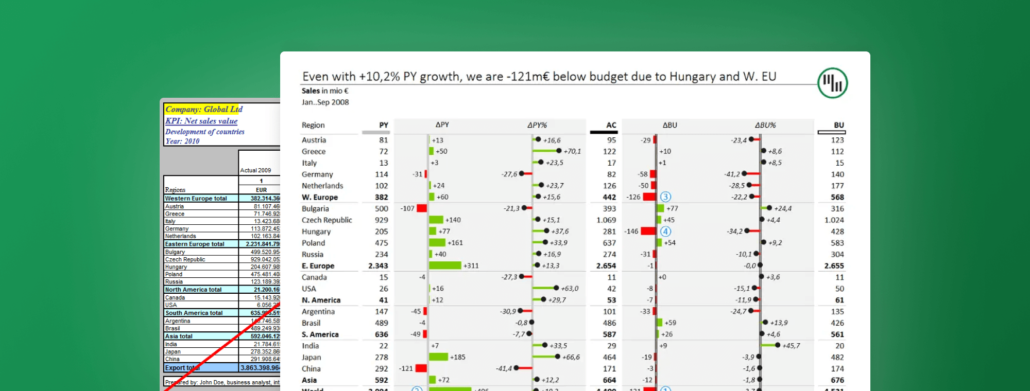
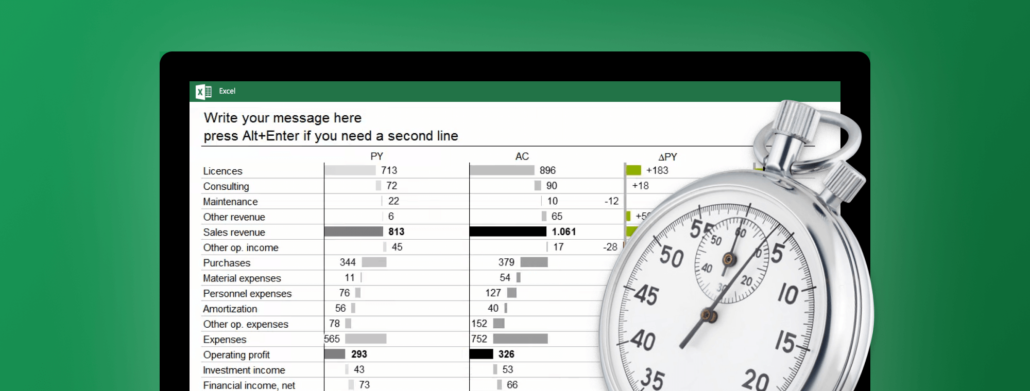
8 Steps to Creating an Efficient Variance Report
The internet is full of bad examples of variance reports. Follow this guide to see how we turn one such example into a great and efficient variance report.
Read more
Excel
Webinar
March 22, 2016
Getting Started with Zebra BI for Excel
Zebra BI is the perfect Excel add-in to help you effectively visualize and standardize your data. Take your chart types to the next level!
Watch now
Excel
Guide
February 5, 2016
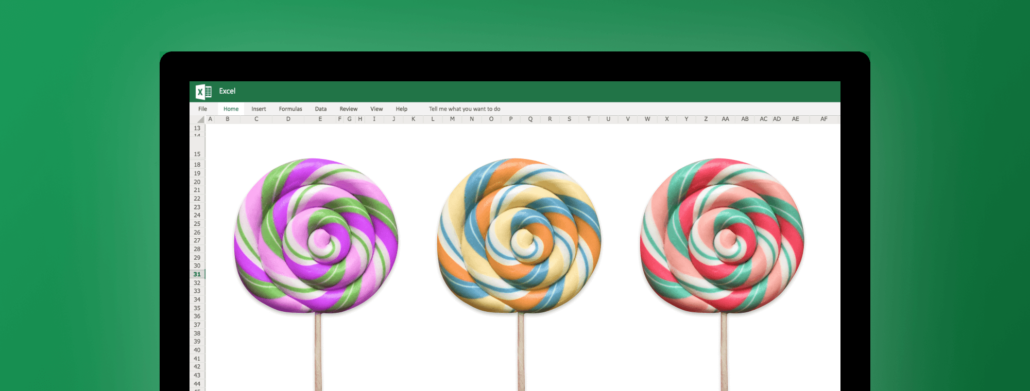
The fastest way to insert lollipop charts in Excel
Lollipop charts can be used in similar situations as bar charts and column charts, but they have the advantage of producing a cleaner-looking picture.
Read more
Excel
Guide
January 12, 2016
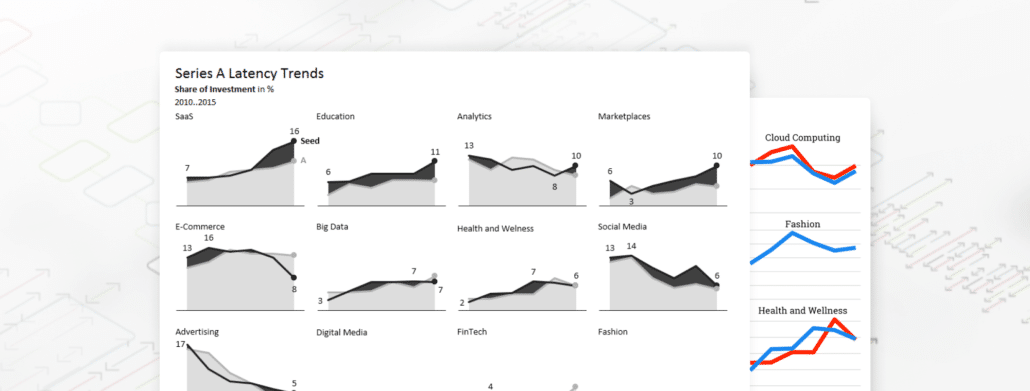
How to visualize trends for multiple markets, products, etc.
Recently, my attention was drawn to an interesting analysis of The Hottest Startup Sectors In 2016. See how we analyzed and redesigned the data.
Read more
Excel
Guide
October 9, 2015
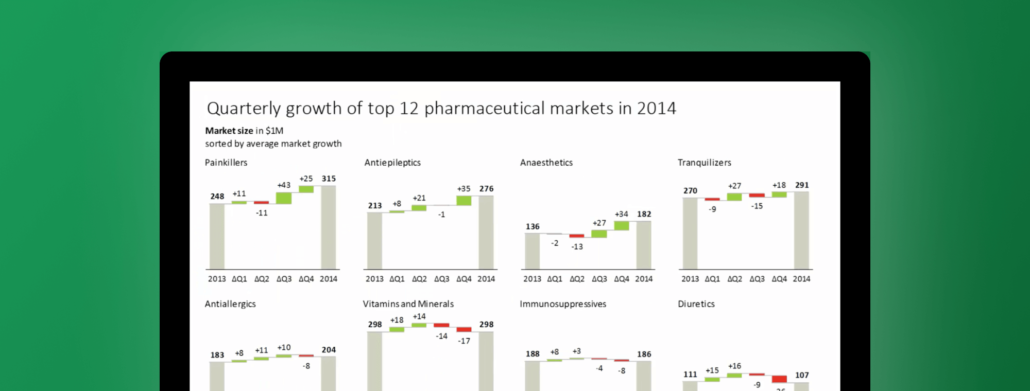
Making small multiples in Excel
Everything is possible in Excel, but some things just take forever. Find out how Zebra BI can help you create small multiples in just 1 click!
Read more
Excel
Guide
July 21, 2015
How to create an IBCS compliant profit & loss report in a few minutes
We'll show you how you can create the standard profit & loss report (income statement) that is IBCS compliant in just few minutes!
Read more
Product
Zebra BI for Power BI
Zebra BI for Office
Zebra AI
Solutions
Latest Releases
Changelog
Pricing
Resources
Webinars
Templates
Guides
Customer Stories
Zebra BI Academy
Blog
Community Events
Legal documentation
Help
On-demand product tour
Live product demo
Knowledge base
Beginner’s Guide
Zebra BI 101 Crash Course
Chart Selector
Company
About
Careers
Customers
Become an Affiliate
Partner Program
Terms of Website Use
Contact Sales
Technical Support
© 2021 – 2026 Copyright Zebra BI d.d. All rights reserved. Various trademarks held by their respective owners.
EULA
Privacy Policy
Cookie Declaration
Product
Zebra BI for Power BI
Zebra BI for Office
Zebra AI
Solutions
Latest Releases
Changelog
Pricing
Resources
Webinars
Templates
Guides
Customer Stories
Zebra BI Academy
Blog
Community Events
Legal documentation
Help
On-demand product tour
Live product demo
Knowledge base
Beginner’s Guide
Zebra BI 101 Crash Course
Chart Selector
Company
About
Careers
Customers
Become an Affiliate
Partner Program
Terms of Website Use
Contact Sales
Technical Support
© 2021 – 2026 Copyright Zebra BI d.d. All rights reserved. Various trademarks held by their respective owners.
Privacy Policy
Cookie Declaration
angle-up
angle-down
youtube-play
question-circle-o
dropdown-down
TimelineArrow
arrow
facebook
ln
logo-black
menu
no
search
twitter
 September 8th
 February 22nd
 15 Sep 2026