Manufacturing OEE Power BI Template

Zebra BI for Power BI
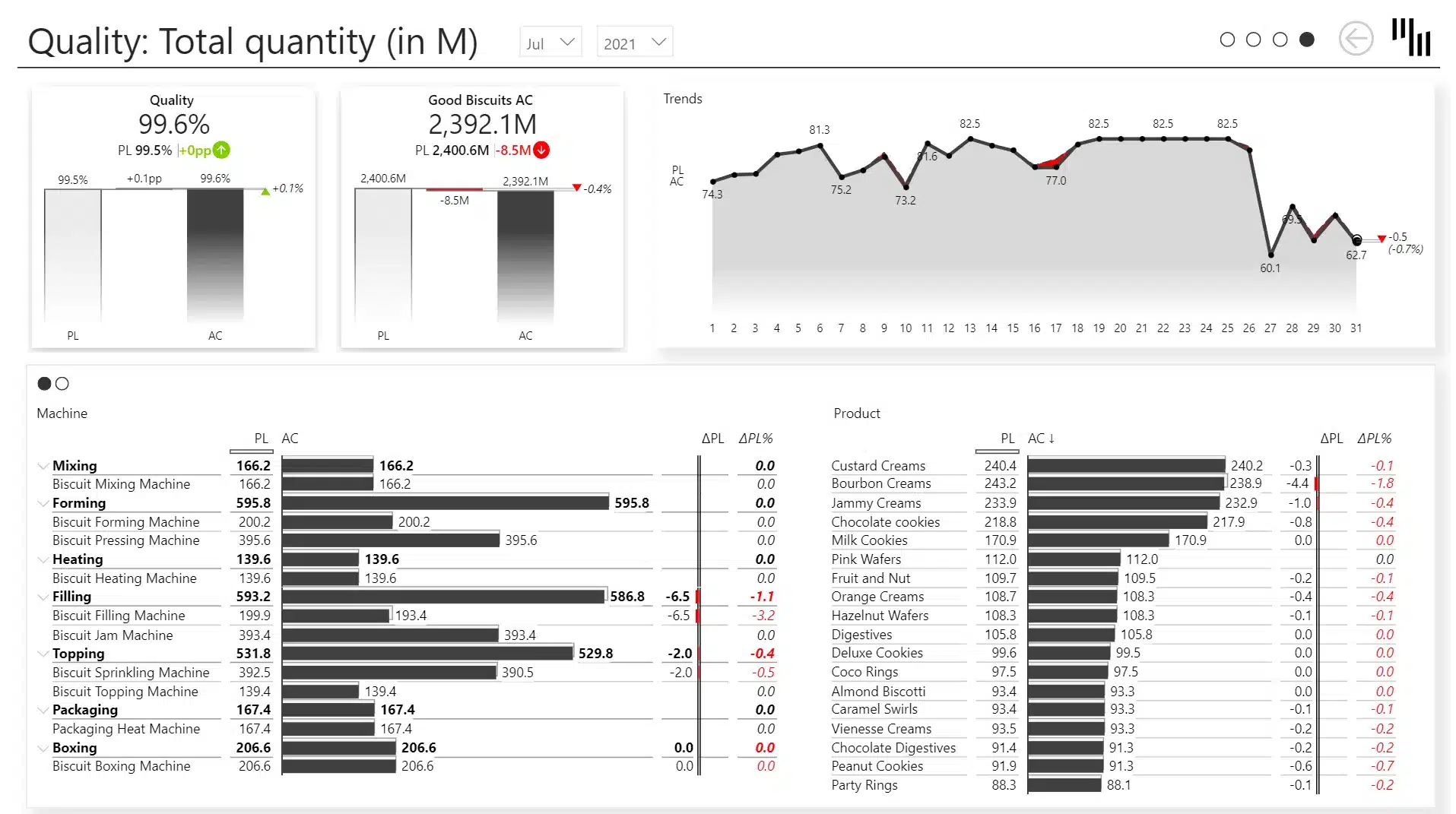
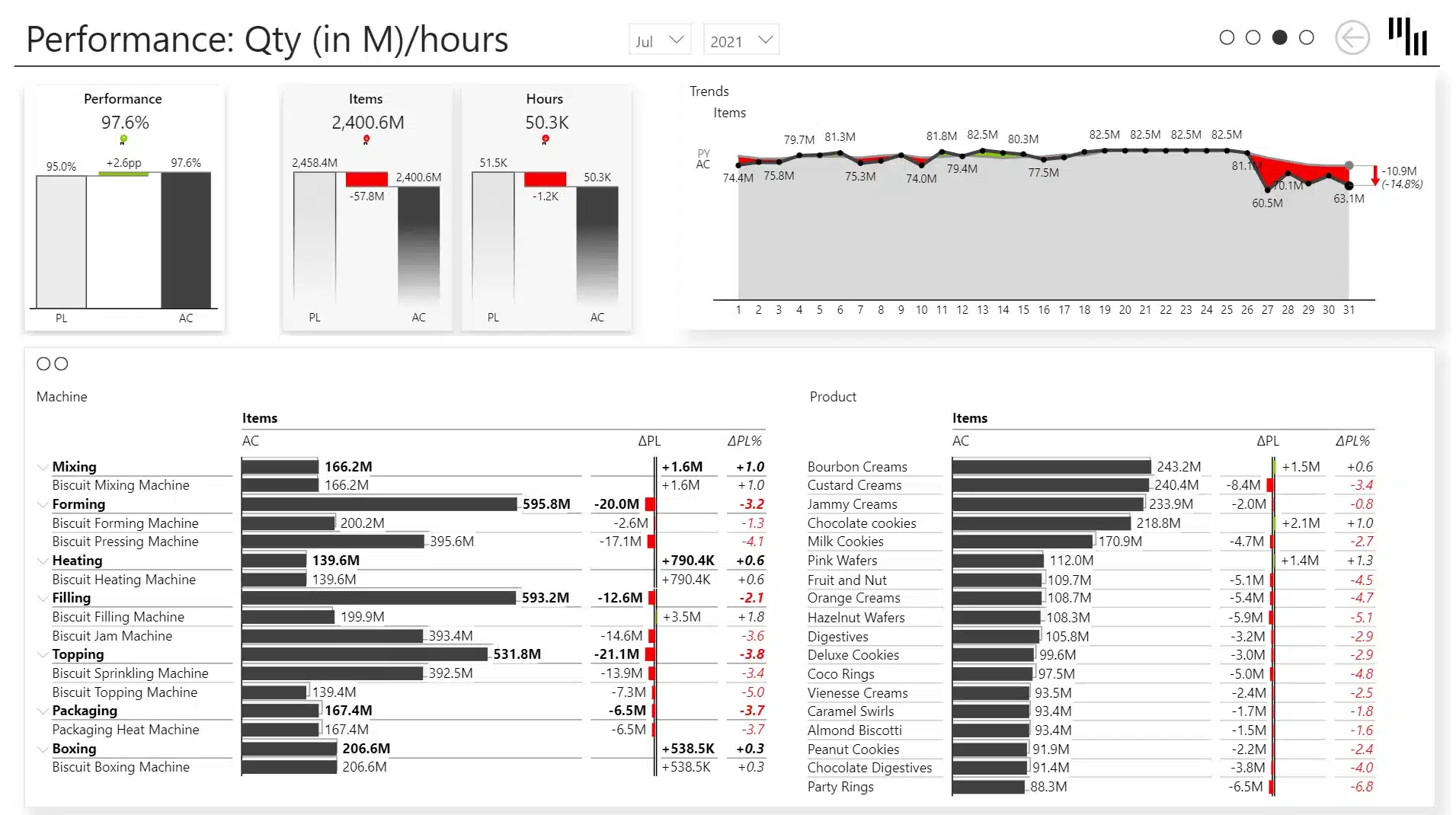
Overview
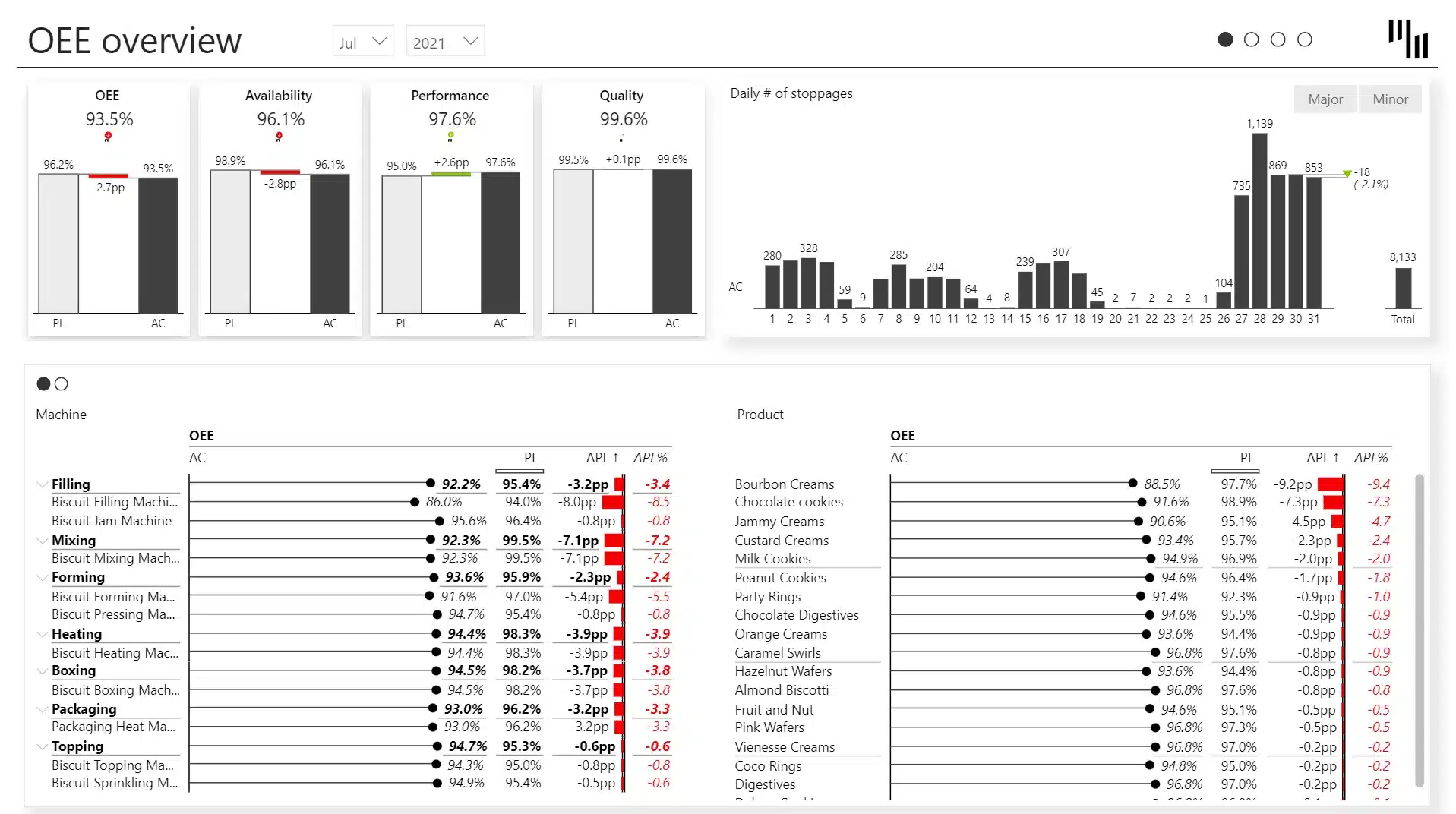
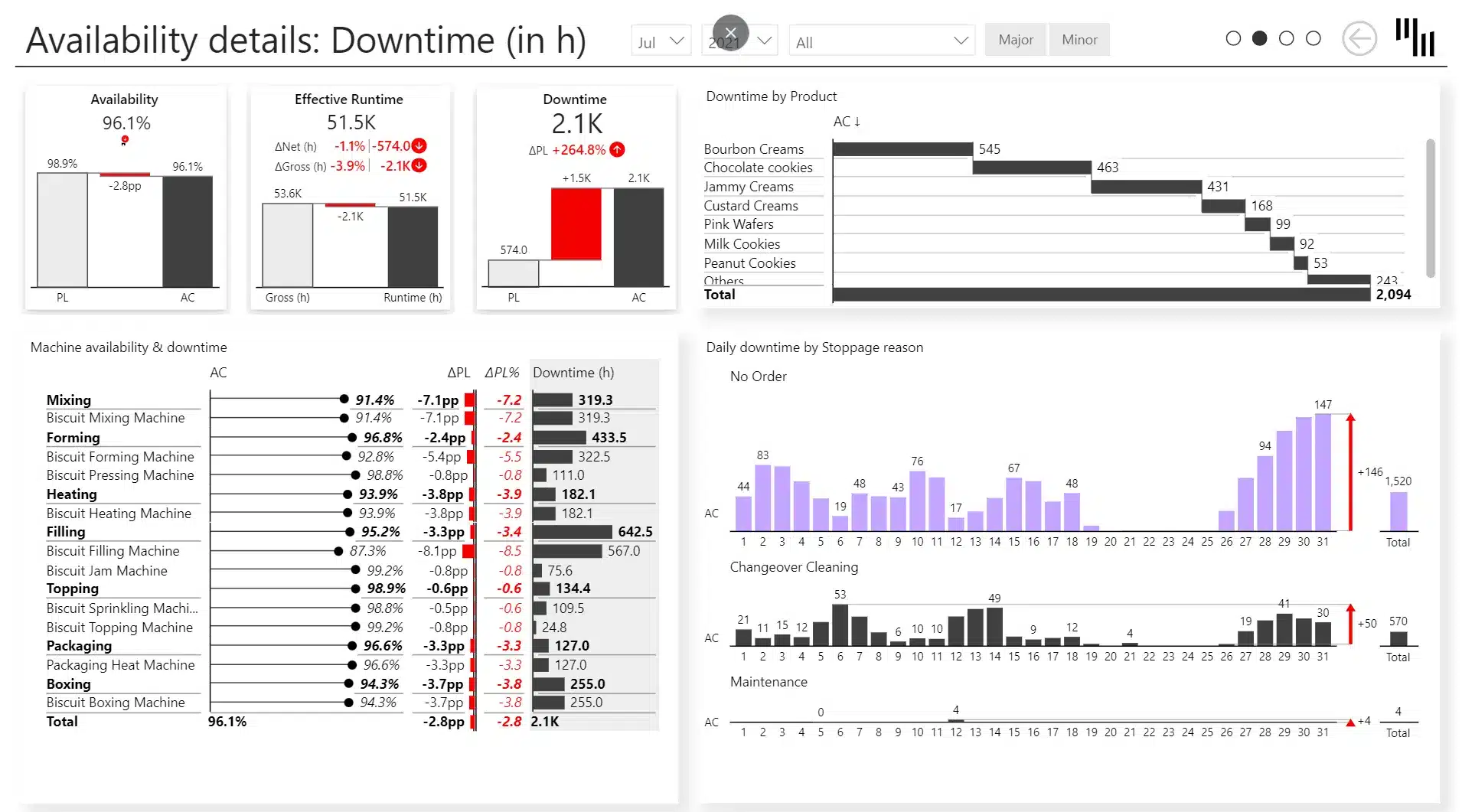
Get a panoramic view of your productivity with the Manufacturing OEE Power BI Template. Effortlessly filter through main KPIs, and dive into dedicated detailed pages for Availability, Performance, and Quality to get a closer look at your numbers and track your performance. Uncover every facet of productivity today to propel your success tomorrow.
Play with the interactive demo below. If you click the ⤢ icon at the bottom-right of the report page you'll be able to enjoy the full-screen view.
Get started in 3 steps
1
Download & Open
Download the .pbix file and open it in Power BI Desktop
2
Connect Your Data
Replace sample data with your CRM, ERP, or database source
3
Customize & Publish
Adjust KPIs, colors, and branding, then publish to Power BI Service
Fill out the form and get the Power BI template

20,000+ users have downloaded this template